
Machine Shop Content Strategy: A Complete Buyer-to-RFQ Playbook
KriXis editorial playbook · Published October 13, 2026 · About 40 minutes to read
A machine shop can publish regularly and still leave important buying questions unanswered. An engineer finds a general machining article but cannot connect it to the work they need reviewed. A purchasing colleague downloads a brochure but cannot tell which details are current. An estimator receives an inquiry with little context. The website has content, yet the route from learning to a useful conversation is difficult to follow.
A machine shop content strategy connects those tasks. It decides which buyers the business can serve, what those buyers need to understand, which facts the shop can substantiate and how each page supports the next action. It also assigns responsibility for technical approval, publishing, inquiry handling and maintenance. A calendar becomes useful after those decisions are made.
This playbook takes you through fifteen decisions, from collecting real questions to reviewing a working publishing plan. Use it as a reference with sales, estimating, operations and quality. Start with one audience and a manageable set of pages. The goal is an understandable system that your team can maintain, with useful detail at the point a reader needs it.

How to use this guide: follow the contents links to the decision you are working on. Each chapter includes a practical exercise and a visual summary. The planning kit collects the briefs, evidence records, page decisions and review tasks in one worksheet. Examples marked fictional are teaching examples, not KriXis client results.
1. Set the business scope before choosing topics
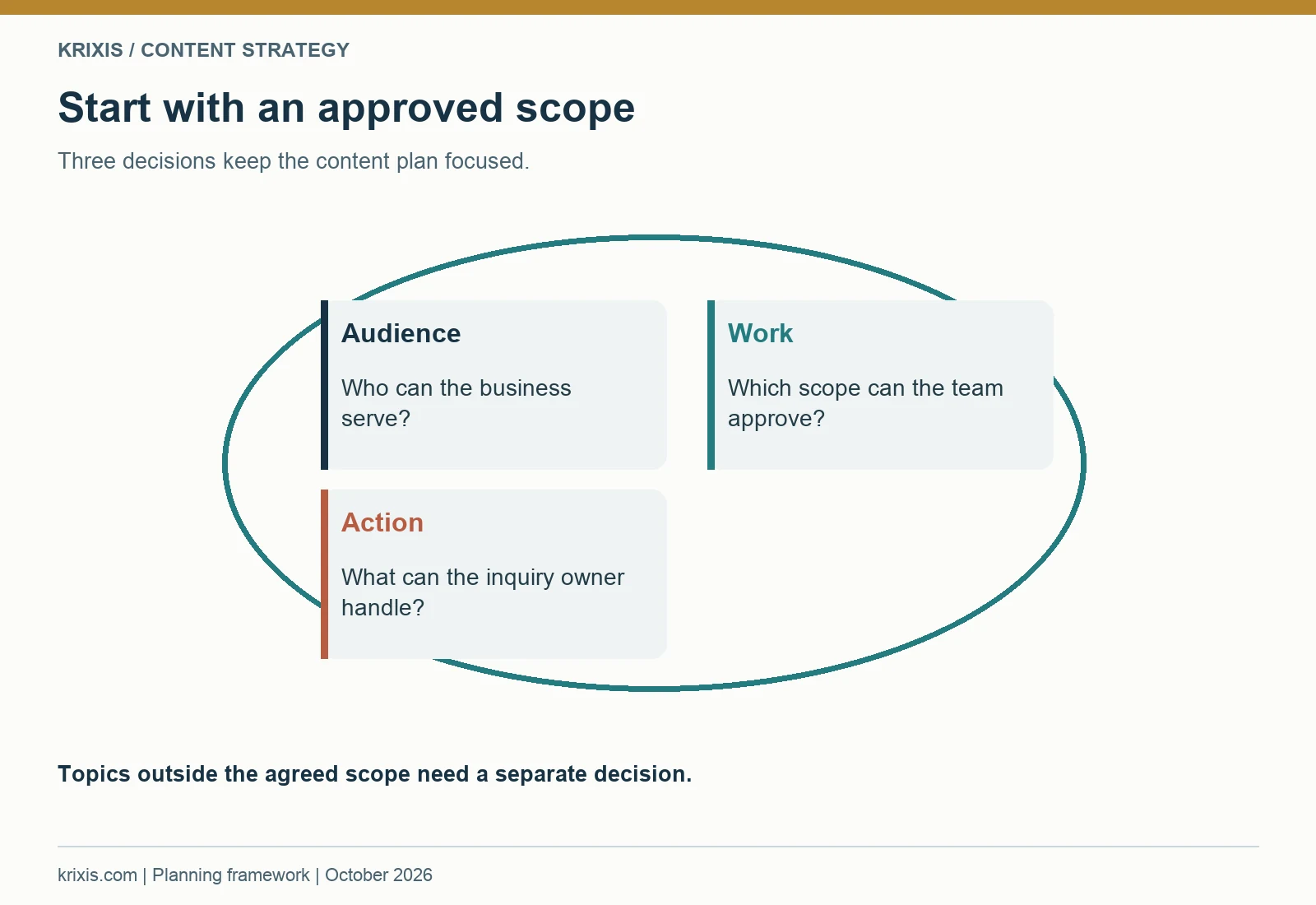
The first content decision is which work the shop wants to discuss publicly. “More leads” is too broad to guide a writer. A useful starting statement identifies an audience, an approved family of work and the initial action the business can handle. For example, a team might focus on engineers evaluating repeat production of a component family that fits its current capabilities. Another shop may prioritize buyers seeking help reviewing a prototype before a production decision. The responsible team must supply the actual scope.
Document that scope in ordinary language. Include the component or project types the shop can discuss, relevant process boundaries, the people involved in evaluation and the information required for an initial review. Also identify topics that would imply work the shop does not offer. If a writer cannot tell whether a proposed article belongs inside the scope, the statement needs another conversation.
Turn a goal into a content decision
A business goal should produce an observable content task. If the goal is to help buyers evaluate a process, review the relevant capability page and collect questions that currently require repeated explanation. If the goal is to make inquiries easier to assess, improve the information beside the inquiry route. If the goal is to explain an application, decide whether an industry page can offer distinct approved information.
Keep commercial preferences separate from publicly supported promises. A shop may prefer certain order patterns, but that does not authorize a writer to invent minimum quantities, turnaround times or guaranteed availability. Record what can be stated, what needs qualification and what should be handled in a project discussion.
Practical exercise: write three sentences: “This plan serves…,” “It helps that reader evaluate…,” and “The suitable next action is….” Then test five proposed topics against them. A topic that serves a different audience may belong in a separate plan. A topic that cannot be supported by current facts belongs in the research queue.
When a stakeholder asks for a new article, use the statement to ask what buyer task it supports. That keeps the discussion concrete. It also gives the shop a reasonable basis for declining broad topics that attract attention without clarifying the work it can review. The plan should remain flexible, but a change in scope should be an explicit decision with an owner.
2. Collect questions from the people who handle inquiries
A useful content backlog begins with the questions buyers actually ask. Sales may hear questions about supplier fit. Estimating sees missing project details. Operations knows which explanations become misleading without conditions. Quality can identify documentation questions that need precise wording. The account owner knows which examples can be discussed publicly. Interviewing one department gives only part of the picture.
Ask each person for recent patterns rather than a list of topics they think marketing should cover. “Which question did you explain twice this week?” is easier to answer than “What should we blog about?” Ask what the buyer was trying to decide, which information was missing and what explanation helped the conversation move forward. Record the wording without copying private customer information into a public content brief.
Keep a question record with context
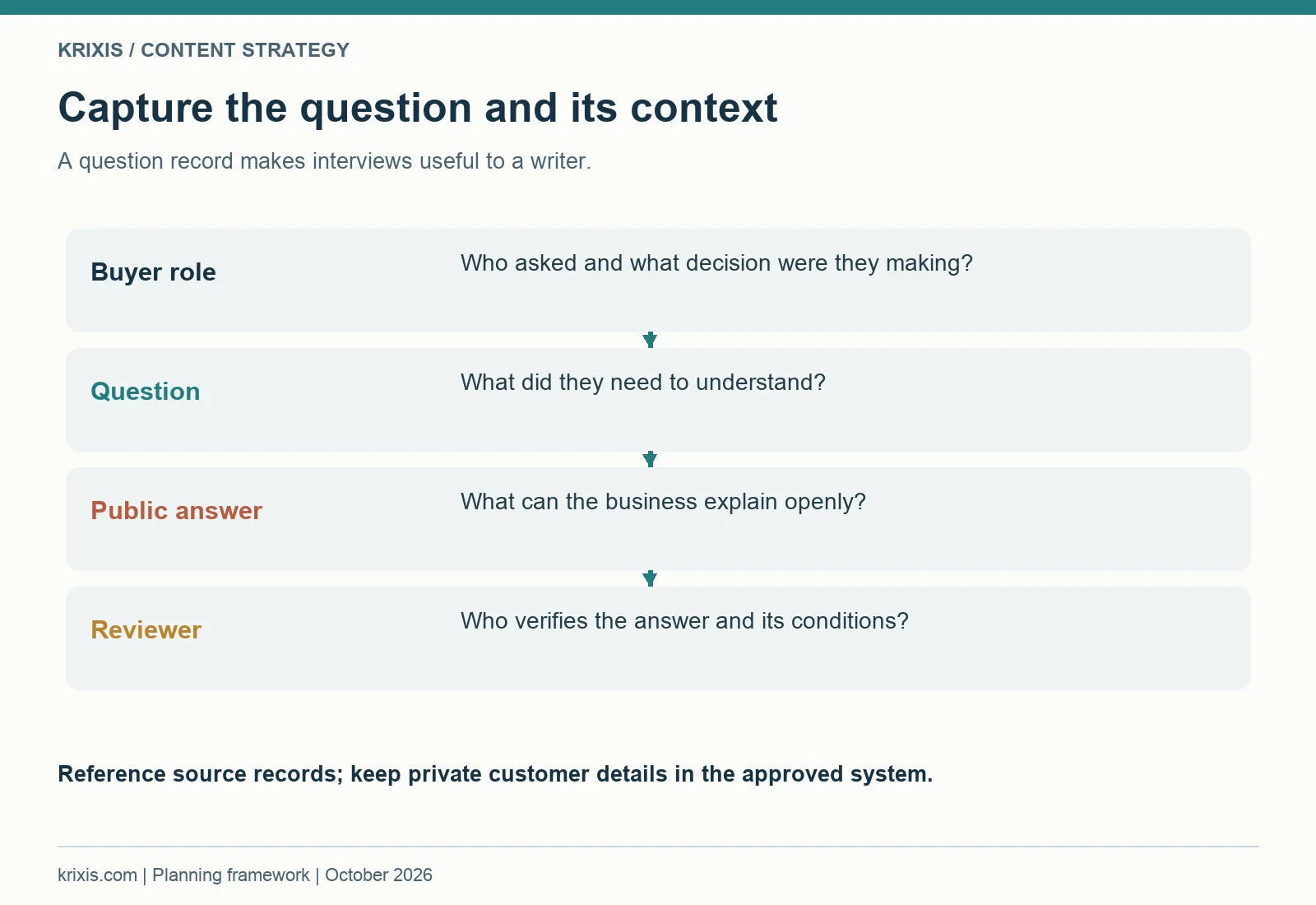
For each candidate question, capture the buyer role, the decision, where it arose and the responsible internal source. Add any conditions that change the answer. A question about material selection, for example, may depend on an application and engineering approval. The article could explain the information needed for a discussion while leaving project-specific selection to the responsible technical team.
Separate a recurring question from a one-off request. Both can be useful, but they have different planning implications. A recurring question may justify a maintained page. A specific request may reveal a missing sentence in existing content. Do not turn every customer email into a new article. First determine whether the public explanation already exists and whether it is easy to find.
Use a shared backlog with a short source reference. Avoid dropping raw drawings, account notes or confidential specifications into it. A record such as “estimating interview, approved summary, reviewer named” gives the writer a way to follow up without exposing the underlying records. Publication permission and factual approval are separate checks.
Practical exercise: collect ten questions from at least three internal roles. For each, complete: “The buyer is trying to decide…,” “Our public answer can explain…,” and “The answer needs review by….” Group questions that support the same decision. The resulting groups are better starting points for pages than a collection of loosely related phrases.
Review the backlog with someone who handles the next buyer action. That person may notice that a question is being asked because the existing page omits a limitation or because the inquiry instructions are vague. A content strategy should allow those smaller improvements. Publishing a new guide is one possible response; correcting an existing page can be the more direct solution.

3. Map the decisions a buyer needs to make
A buyer journey is useful when it describes decisions, not a rigid sequence everyone supposedly follows. An engineer may begin with a process question. A purchasing colleague may arrive through a supplier recommendation. A quality reviewer may open a documentation page after another person has already contacted the shop. Your content should support those entry points and help each reader understand the next relevant decision.
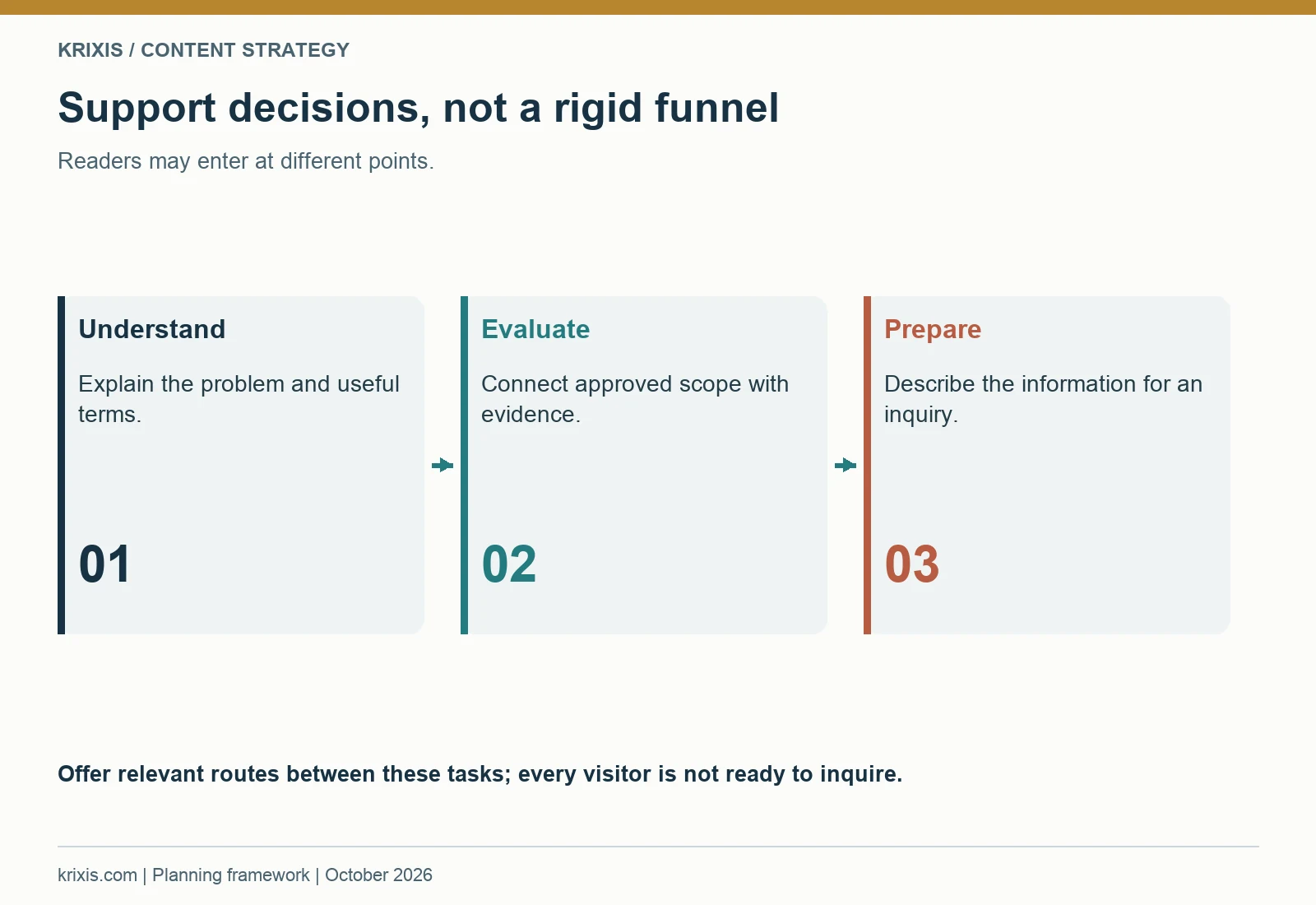
Start with three broad tasks: understand the problem, evaluate supplier fit and prepare a useful inquiry. Then add the roles that influence each task. A process explanation may help an engineer assess an approach. A capability page may help the team compare relevant scope. A project story may provide approved evidence. Inquiry instructions help the reader prepare the information needed for a discussion.
Connect content with an unresolved decision
For every page, name the question it answers and the question that may remain afterward. A capability page might explain an approved process scope while leaving application-specific feasibility for review. Its next link could lead to relevant evidence or a clearly described inquiry. An educational article might help the reader understand terminology, then link to the maintained capability page for current business information.
Avoid assuming that every visitor is ready to request a quote. Some readers need a worksheet, an explanation or a page they can share internally. Provide those routes when they fit the page purpose. At the same time, do not hide the inquiry option behind several unrelated downloads. A reader who already knows what they need should be able to identify the contact route directly.
Practical exercise: choose one buying situation and list the decisions in the reader's language. Next to each, name an existing page or a content gap. Add a column for the appropriate next action. If two pages answer the same question with substantially the same information, examine whether they should have distinct roles or be improved together.
This map will be incomplete at first. Use inquiry feedback to refine it. If buyers repeatedly ask a question after reading a page, determine whether the answer is absent, difficult to locate or too vague. If a page attracts readers with a different need, revisit its title, introduction and links before expanding it.
A good decision map allows several routes. It gives each page a purpose and gives the reader a way to move forward. That is enough to guide architecture, briefs and CTAs without claiming that a manufacturing purchase follows a perfectly linear funnel.

4. Build an evidence system before writing claims
Manufacturing content depends on accurate scope and qualified statements. A writer can explain a concept clearly while still implying that the shop offers a capability it has not approved for publication. An attractive image can also suggest work, equipment or documentation that the business does not actually provide. Establish an evidence process before the content volume grows.
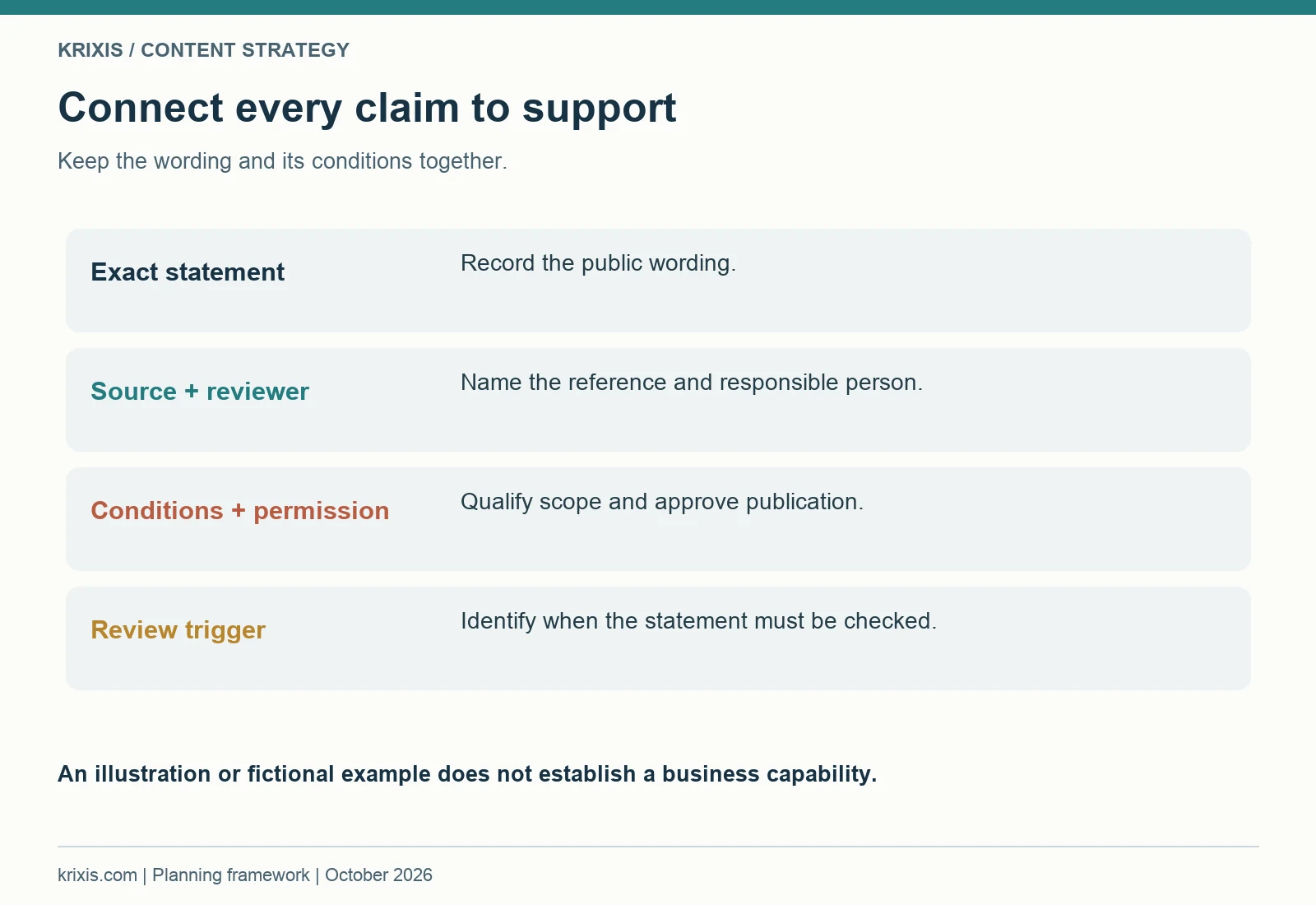
A claim record should connect proposed wording with a source, a responsible reviewer and the conditions that affect its meaning. It should also record whether the information can be made public. The source may be an approved capability statement, an internal procedure description or a project record that the responsible team summarizes. Keep underlying confidential material in the shop's approved system.
Distinguish explanation from business evidence
A general educational explanation describes an idea. A business claim describes what the shop does. A project result describes what happened in a specific completed job. These require different support. A general process illustration does not establish a shop's equipment list. An unnamed project story still needs factual review and publication permission. A fictional teaching example should remain clearly labeled.
Use conditions where they matter. Wording about a process, inspection practice or project outcome may need to identify the application, relevant scope or limits. A blanket statement can become misleading when it removes those details. Ask the responsible reviewer what would cause a reader to misunderstand the claim and incorporate that qualification into the sentence.
Do not use certifications, customer logos or measured results as decorative credibility signals. The shop's responsible team must approve the exact representation. If evidence is unavailable, narrow the wording, collect the missing information or remove the claim. A question that requires technical review should not be resolved through confident marketing language.
Practical exercise: select five important statements from an existing page. Create a row for each with exact wording, source reference, reviewer, conditions, publication approval and review trigger. Mark the status as approved, needs qualification or awaiting evidence. Resolve the uncertain statements before building new pages that repeat them.
Supplier evaluation involves more than a catchy claim. NIST's supplier selection guidance discusses evaluating suppliers against the needs of the organization. For a content plan, the practical implication is to explain relevant information in a way the buyer can examine. Treat evidence review as a publishing responsibility, with a named person and a clear status, rather than a final request to “make it sound technical.”

5. Inventory the website before expanding it
An existing website usually contains useful material, outdated statements and overlapping explanations. Before adding a new article, create a simple inventory of the pages a buyer can reach. Record the public URL, title, page purpose, intended audience, approved claims, next action and maintenance owner. Include downloadable files and relevant landing pages because buyers may encounter those without reading the main article.
Read the pages, rather than judging them only by their titles. An article titled for a capability may actually be a broad introduction. A service page may contain helpful detail that is buried beneath generic copy. A resource could duplicate an older PDF with conflicting instructions. The inventory should reveal what the content does today.
Choose an action for each important page
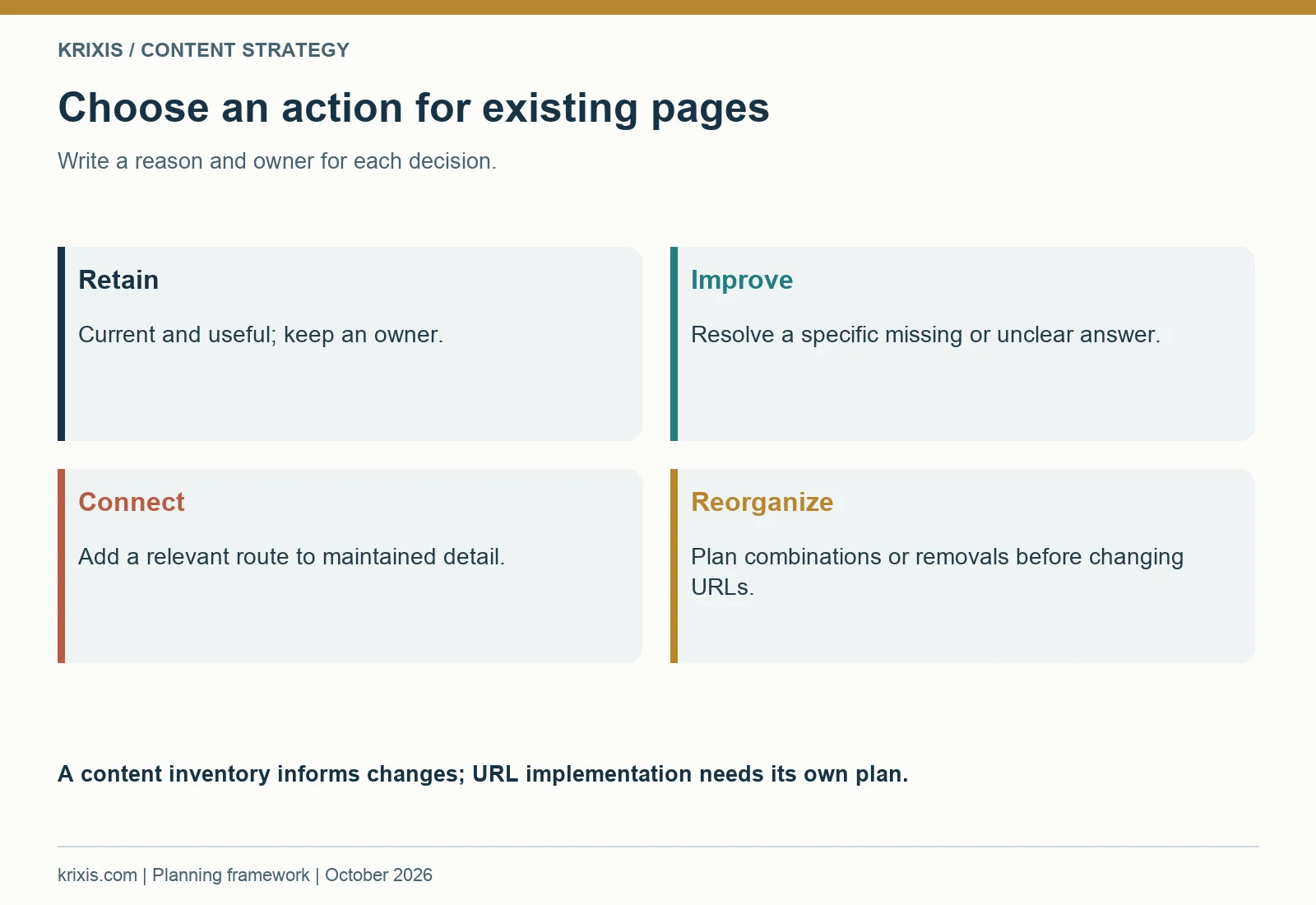
Useful actions include retain, improve, connect, combine after review and retire after a website plan is approved. “Improve” needs a specific task: qualify a statement, answer a missing buyer question, clarify the next action or correct an outdated reference. “Connect” may mean adding a contextual link from a relevant article to the maintained capability page.
Do not treat low observed traffic as proof that a page is unnecessary. The page may support a narrow but important evaluation question, or the available measurement may be incomplete. Conversely, a page with visits may still confuse readers. Combine the public content review with available search data, inquiry patterns and feedback from the people who use the site.
Be careful with URL changes and removals. Those actions affect existing links and how readers find the content. A content inventory can recommend a decision, but implementation needs a separate plan. Use the machine shop website redesign guide when the work includes migration, redirects or changes to established page paths.
Practical exercise: inventory the ten pages most relevant to one audience. Identify the maintained source page for each important business fact. Then choose one improvement and one contextual link for every page that remains in the plan. A few coordinated changes can make a new article more useful because it points to accurate supporting content.
Document the reason for each decision. “Improve because the inquiry instructions omit the initial information” is actionable. “Bad SEO” does not explain what needs to change. Include the reviewer and a completion check so another person can finish the task without repeating the entire audit.

6. Use search intent to sharpen a useful question
Search research can help describe how people express a problem and what kind of answer they expect. It should refine a buyer question that the shop can serve. Start with the language collected from interviews, then review available search-performance data and current results for that subject. Notice whether the results are explanations, supplier pages, templates, product listings or discussions. That context helps define the reader's likely task.
Do not invent volume, competition or ranking data when none is available. Record what you observed and the source of the observation. If Search Console data is available, distinguish impressions, clicks, queries and pages. If it is not available, state that the topic choice is an editorial assessment from the inventory and buyer-question research.
Decide what the page should deliver
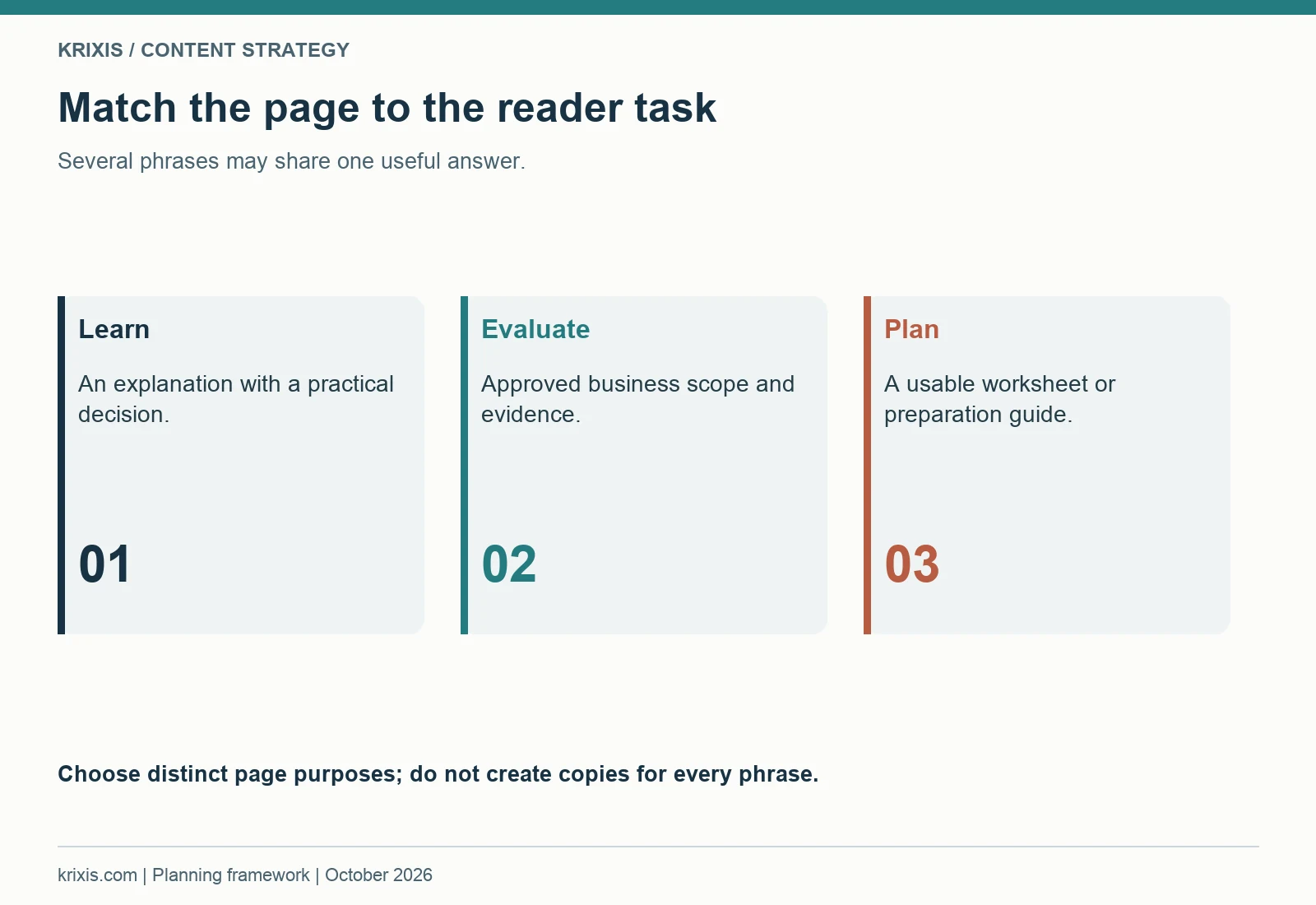
An informational query may need a practical explanation. A supplier evaluation query may need approved business scope and evidence. A planning query may benefit from a worksheet. Several query phrases can share the same underlying task. You do not need a separate page for every phrase when the useful answer would be substantially the same.
Review the current result pages to identify missing usefulness, rather than copying their headings. Ask what an informed reader still needs to do after reading them. Your contribution might be a clearer decision process, a maintained resource, an application-specific qualification or a practical review checklist. The shop needs the knowledge and approval to supply that contribution.
A topic brief should include the main reader question, the expected page type and the boundaries of the answer. Also include the relevant existing page so the new article does not compete with a maintained source of business information. Search intent can help separate a general guide from a service page, but the actual content needs to make that distinction clear.
Practical exercise: take three backlog questions and write a one-sentence promise for each. Explain what the reader can decide or prepare after using the page. Compare those promises. If two are nearly identical, consider one fuller page with useful subsections. If they serve different roles, document how they will link to each other.
Google's helpful-content guidance asks publishers to focus on useful content for their intended audience. It also states that Google has no preferred word count. This guide is extensive because it covers a complete planning system; a focused capability explanation may need much less space. Choose the detail required by the reader's task and remove paragraphs that repeat the same point without helping them act.

7. Give each content type a clear job
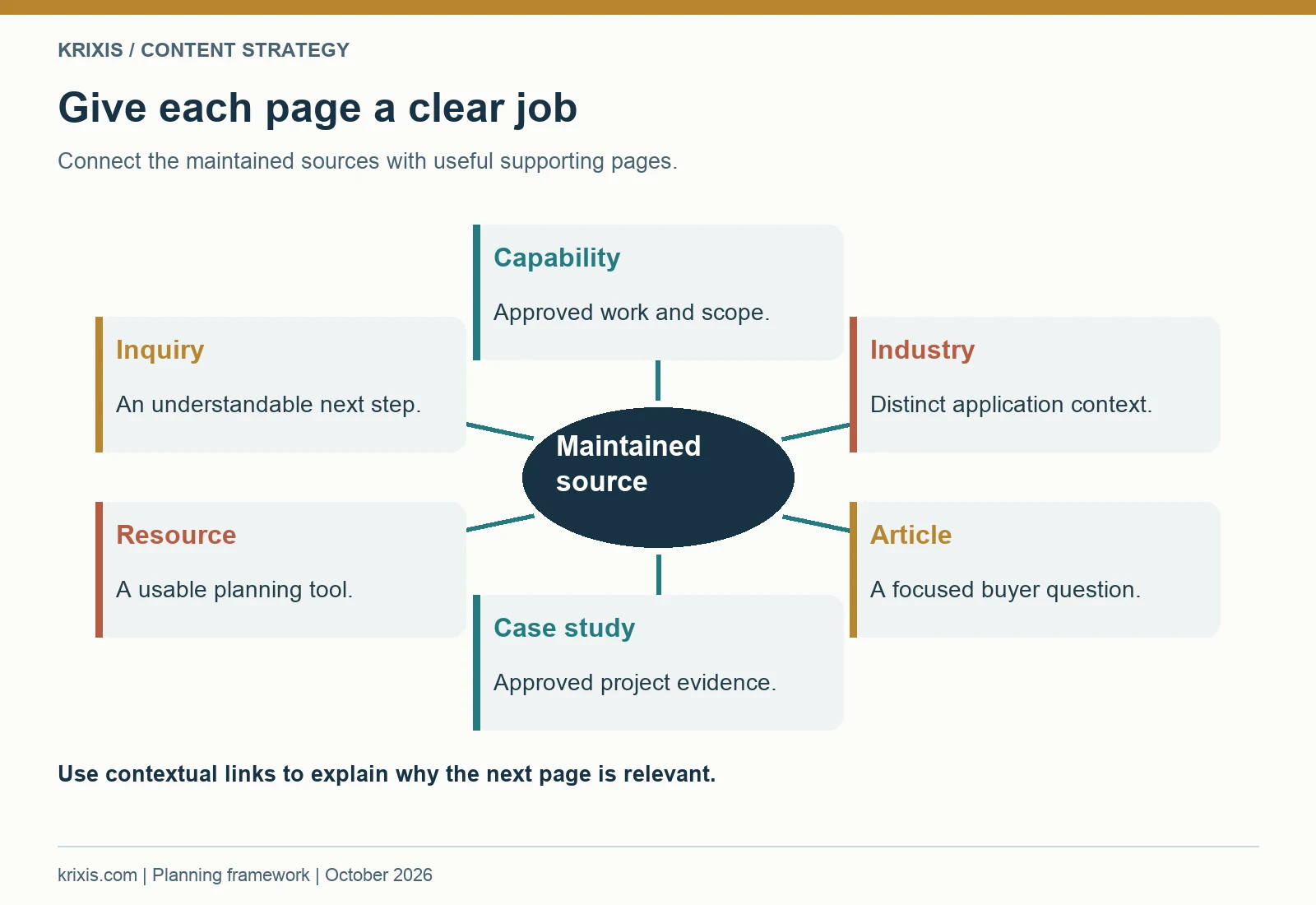
A content architecture connects pages that serve different buyer tasks. The main website pages describe the business and its approved scope. Capability pages explain relevant work. Industry pages provide application context when distinct information justifies them. Articles answer focused questions. Case studies present approved project evidence. Resource pages deliver usable tools. Inquiry pages explain the conversation and the initial information needed.
These roles can overlap, but each page should have a primary purpose. A blog article does not need to carry the entire equipment list. A capability page should not require a reader to search an archive to understand the service. A planning worksheet should support a task instead of acting as a disguised contact form with little practical value.
Connect the maintained sources
Choose the page that owns a business description, then link related articles to it where the reader needs that information. A general guide can explain why a process matters and point to the shop's maintained capability page for current scope. A case study can link to the relevant capability and inquiry route. An industry page can connect an application with useful approved evidence.
Use contextual links with descriptive wording. The sentence should explain why the next page is relevant. A list of unrelated links at the bottom offers less guidance than a link beside the question it helps answer. Google's link guidance supports crawlable links and understandable anchor text; those practices also make navigation easier for readers.
Avoid creating a complicated architecture solely to accommodate publishing volume. Begin with a small map. Identify the central page for an audience or work family, the supporting explanations and the inquiry route. Expand when a distinct question has an answer that deserves its own maintained page. Use the industry page planning guide to evaluate that decision for application content.
Practical exercise: draw one central capability or audience page and place the current supporting pages around it. Write the purpose of each connection. Mark a page that has no useful incoming link and a page that ends without an appropriate next step. Add those tasks to the plan before commissioning another large article.
A page can be useful to several roles, but its opening should still identify what it helps the reader accomplish. Someone entering from search should not have to understand the entire website map before using it. Include sufficient context, explain terms and make the next relevant route visible.

8. Write a brief that a reviewer can approve
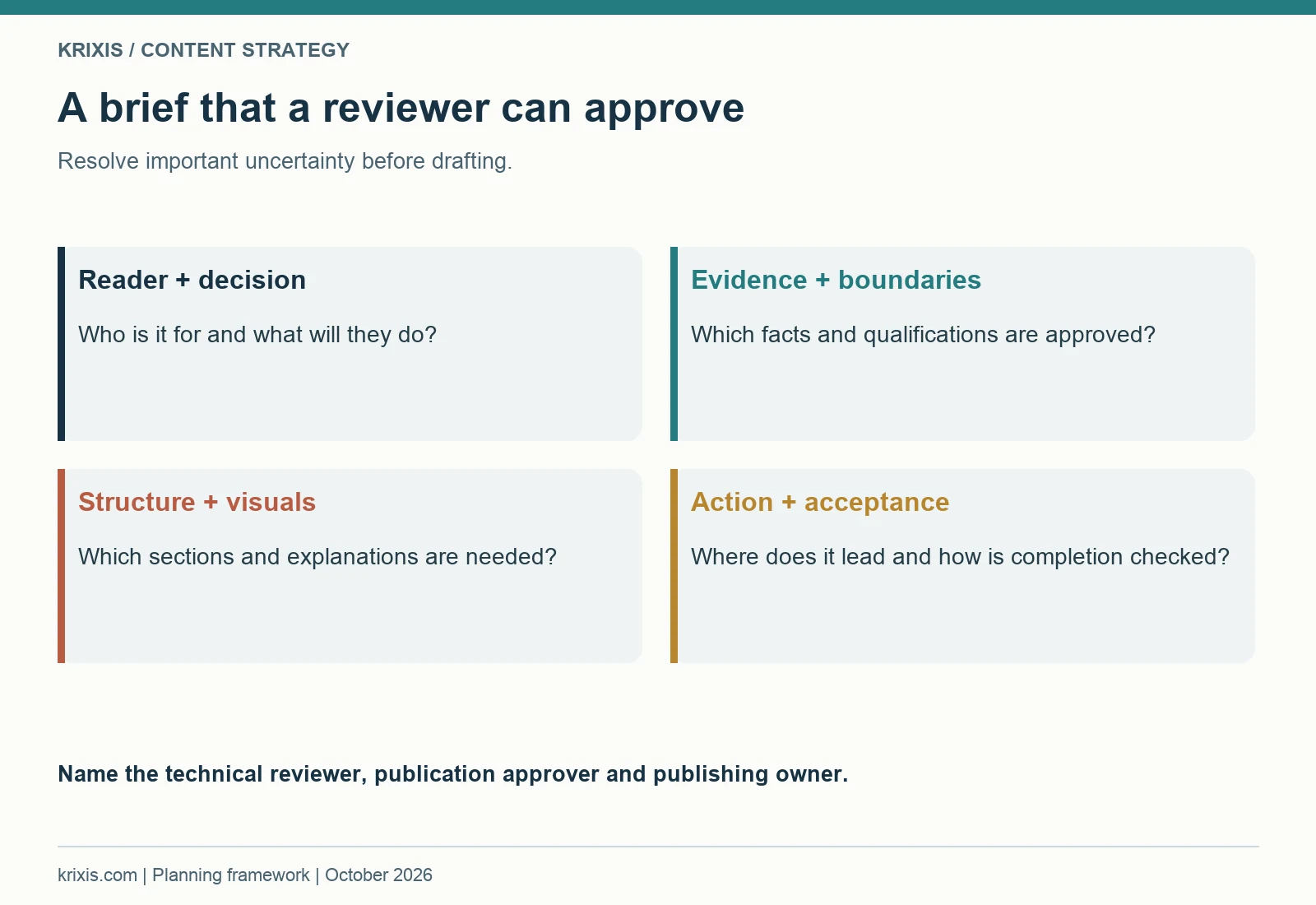
A useful brief reduces uncertainty before drafting. It identifies the reader, the decision, the answer's boundaries, the approved facts and the next action. It also names the technical reviewer and publication approver. A title and target phrase alone leave the writer to guess which claims are safe, which examples matter and how the page fits the website.
Start with a reader promise: “After using this page, the reader can…” Complete it with a practical decision or preparation task. Then list the sections required to fulfill that promise. Include the relevant source records, existing internal links and any primary references needed for general factual guidance. Distinguish mandatory content from optional detail.
Define what will count as a complete draft
A completion check should describe the content's function. The draft may need to explain the evaluation question, qualify an important statement, show a clearly labeled teaching example and link to an appropriate inquiry. It should also identify what the page cannot establish. A planning guide can help organize information; it cannot approve project feasibility or certify a manufacturing result.
Give the writer useful examples of the level of detail required. Instead of requesting “more authority,” ask for the information a buyer needs to compare relevant scope. Instead of “make it conversion focused,” specify the next action and the brief the receiving person needs. Concrete instructions reduce generic copy and make reviews faster to resolve.
Plan visuals in the brief. State what each should help the reader understand and whether it is a real approved photograph, a diagram or a general editorial illustration. A beautiful image that adds no explanatory value may interrupt the page. A small decision diagram can sometimes help more than another broad workshop scene.
Practical exercise: complete a one-page brief for a backlog question. Include audience, decision, outline, evidence, reviewers, internal links, visual purpose, CTA destination and acceptance checks. Ask the reviewer to resolve the proposed claims before the writer turns them into polished paragraphs.
Set a review date that fits the team's actual capacity. If a technical reviewer is unavailable, choose another ready topic or improve existing approved content. A deadline does not replace approval. Give unresolved questions a visible status so they are not accidentally published as settled facts.

9. Use a varied visual system that explains the content
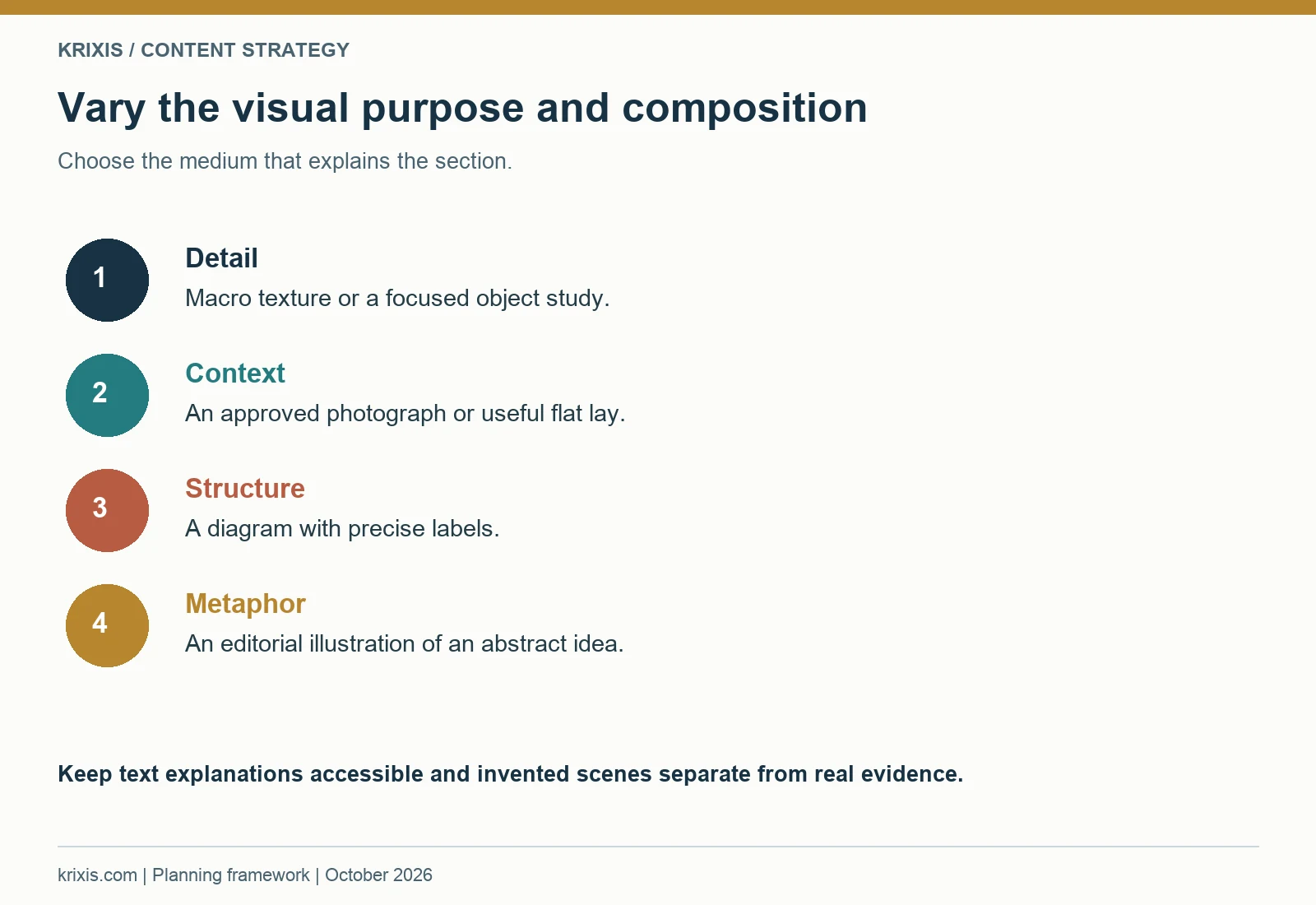
Visuals should help a reader understand a decision, recognize a structure or stay oriented in a long guide. Repeating a similar photograph of people standing beside a machine adds little when every chapter addresses a different task. Plan the visual purpose first, then choose a medium and composition that fit. A macro detail can suggest careful verification. A flat lay can show research materials. A diagram can explain a handoff. An editorial illustration can make an abstract relationship easier to remember.
Create a shot list that varies subject, viewpoint, distance and style. Include wide and close compositions, overhead arrangements, object studies and diagrams. Use a consistent set of colors and readable typography where appropriate, while allowing the images themselves to differ. Consistency does not require the same scene to reappear throughout the article.
Match the visual to the kind of information
Use approved real photographs when the purpose is to show an actual facility, person or project. Use diagrams for a process or relationship that needs precise labels. Use general editorial illustrations when the purpose is a metaphor or an explanation that does not require proof of a real event. Never use an invented scene as evidence of what a client or supplier achieved.
An infographic needs a clear reading task. Ask what someone should understand after looking at it without the surrounding paragraphs. A decision tree needs choices and outcomes. A responsibility map needs roles and handoffs. A timeline needs order and dependencies. A decorative row of icons with vague words may look polished while adding little information.
Keep a readable text explanation beside important visual information. The image should not be the only place a reader can find a requirement or next action. On mobile, detailed graphics may appear small; provide a full-size viewing link and make the surrounding section useful on its own. Descriptive alt text should identify the image's purpose or relevant content in ordinary language.
Practical exercise: list the next six visuals planned for the website. For each, identify the reader task, medium, main subject and composition. If several rows contain the same people, machinery and viewpoint, revise the list. Replace a repeated scene with a diagram, detail, object study or different approved photograph that supports the section.
Optimize each final asset for its actual use. Use an appropriate display size, an efficient format and explicit dimensions. Load the first important image promptly and later images as the reader reaches them. A long article with many visuals needs careful performance and layout checks. Keep the original source and final prompt or design file so later revisions can preserve quality instead of relying on a compressed copy from the website.

10. Make on-page SEO part of publishing
On-page SEO begins with a clear page purpose. The title, main heading, introduction and section structure should describe the useful answer the page provides. A writer should not add a phrase to every paragraph simply because it is the focus of the article. Use the reader's terminology where it is relevant and explain specialized terms when they affect understanding.
Give each page a unique title and description. The title should summarize the subject accurately. The description should explain the page's usefulness without making a promise the content does not support. Google's title-link guidance recommends descriptive, concise title text and describes several sources Google may use when generating a title link. A configured title is a publishing input, not a guarantee of the exact search appearance.
Check structure, links and media together
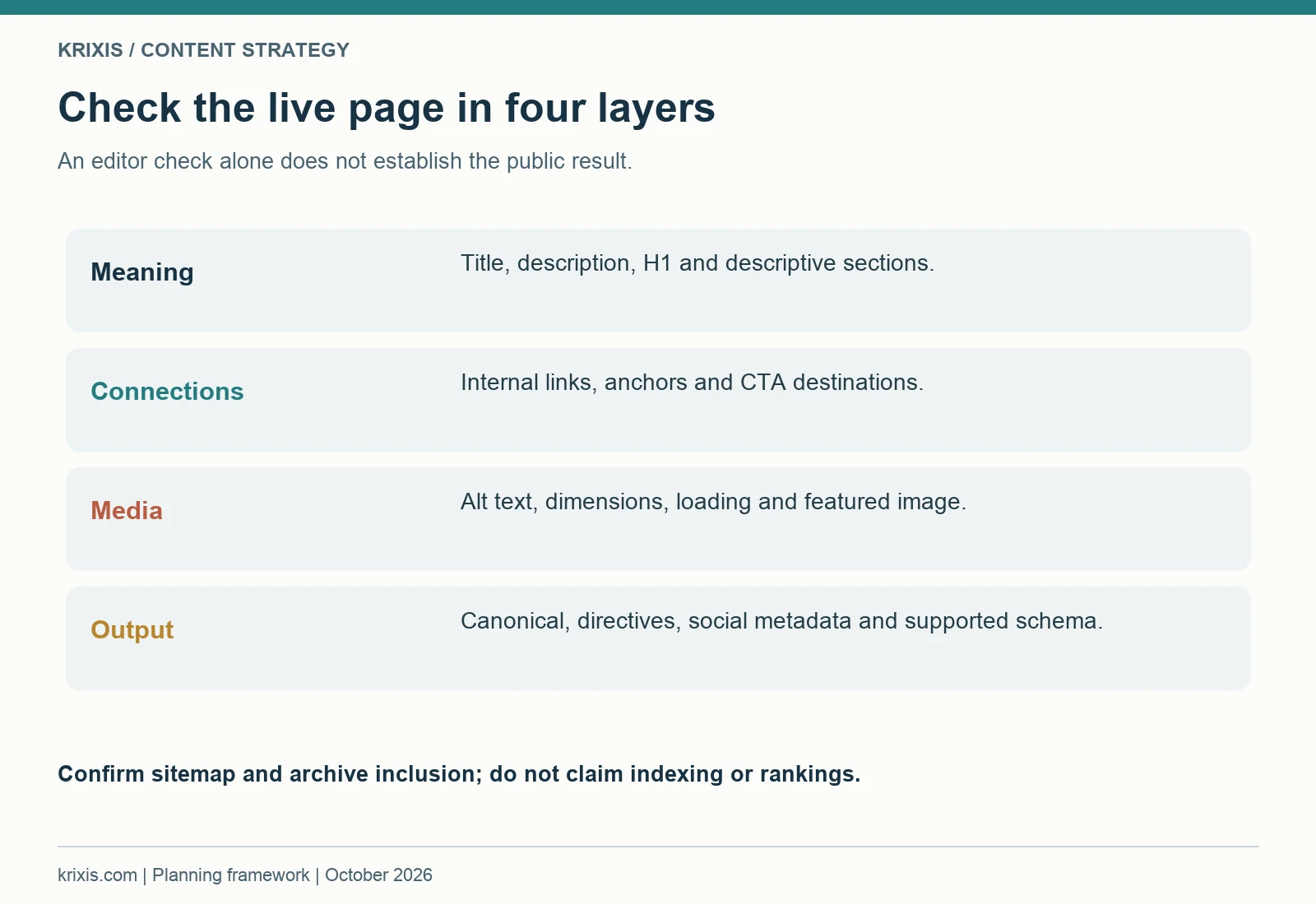
Use one main heading and descriptive section headings that make a long article navigable. A contents menu helps readers return to the decision they need. Give sections stable anchors and verify that the links reach the intended content. Keep heading levels meaningful rather than choosing them solely for visual size.
Use a clean, understandable URL. Set the intended canonical and indexing directives, then inspect the live output. Configure social titles, descriptions and sharing images. Check supported schema against the actual page. An article can describe its author and image; it should not acquire invented reviews, ratings or service claims through a generic template.
The featured image is a separate publishing responsibility. A hero in the article body does not necessarily appear on the blog listing or in sharing metadata. Select the intended WordPress featured image, wait for the selected thumbnail and save. Then verify the public record and visually check the archive, article and sharing image references.
Practical exercise: create a publishing checklist with page title, description, URL, H1, section headings, contents anchors, internal links, alt text, featured image, canonical, indexing directives and social metadata. Ask the publisher to check the live page rather than marking completion from the editor alone.
Review desktop and mobile layouts after publication. Long headlines, detailed infographics and CTA buttons can behave differently at a narrow width. Inspect screenshots, check whether the document overflows horizontally and make sure important actions remain readable. A metadata audit does not reveal a button clipped off the screen.
Treat sitemap inclusion as a separate check. Confirm the page appears in the relevant sitemap and the article appears in the blog archive. These checks establish how the site exposes the content. They do not prove that a search engine has indexed the page or that it will rank for a query.
Finally, link the new page from relevant existing content. Choose a sentence where the connection helps a reader. Back up the current source before editing and preserve the surrounding material. The publishing job includes connecting the page to the library, not just making a new URL available.

11. Connect calls to action with a useful inquiry
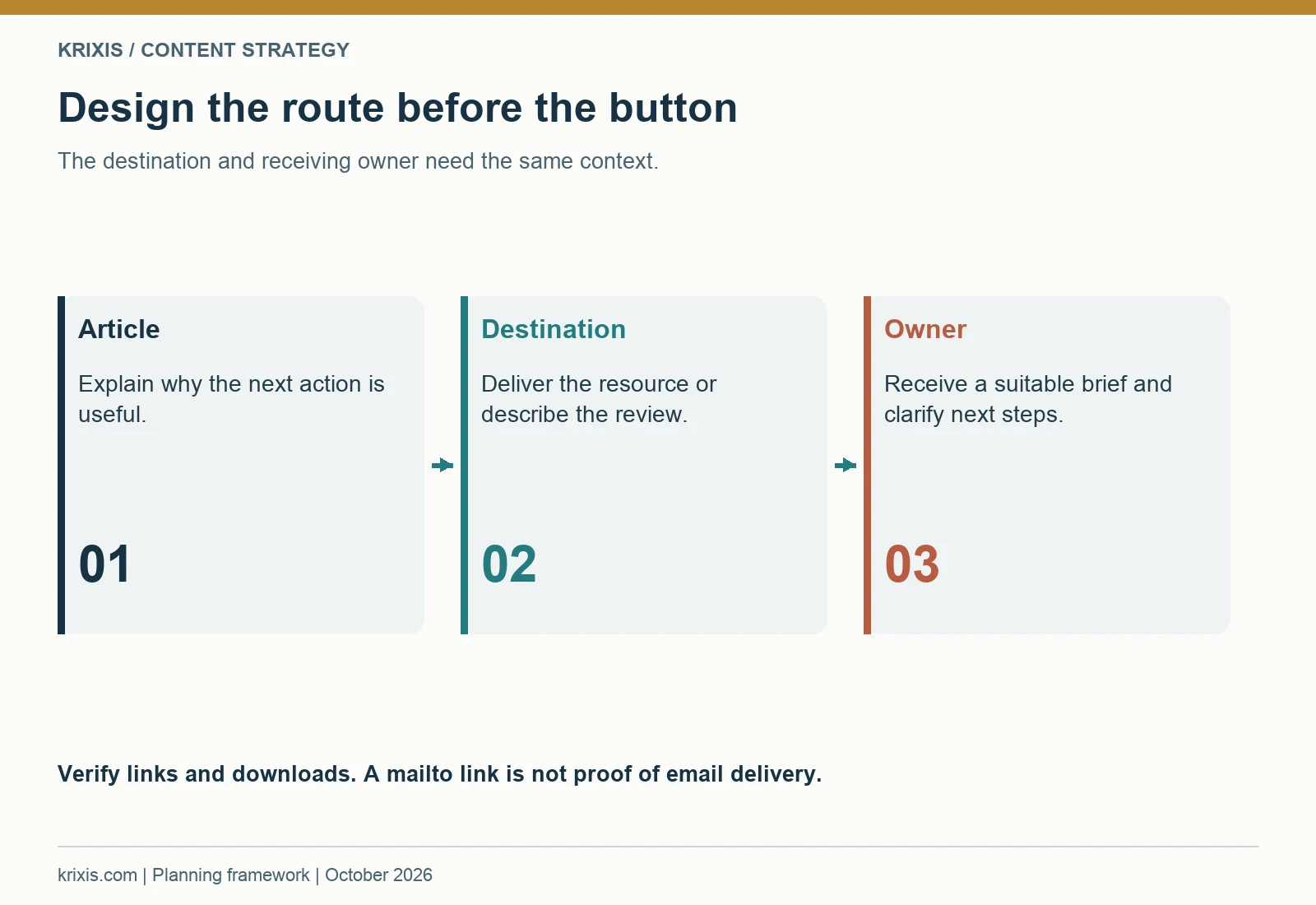
A call to action should fit the reader's progress and the receiving team's capacity. Someone learning how to organize content may benefit from a planning worksheet. Someone evaluating a draft may want a review conversation. A buyer ready to discuss work needs an understandable inquiry route and a clear description of the initial information to send.
Place CTAs where the next step makes sense. After research guidance, offer a planning resource. After explaining a review decision, offer a related conversation. At the end, give the reader a practical choice. Repeated placements can help a long article, but the surrounding explanation should make each action relevant rather than interrupting every section with the same pitch.
Design the destination before the button
A resource landing page should explain what the tool contains, how to use it and any important limits. Deliver a genuinely usable file. A review inquiry page should explain what can be discussed, what information starts the conversation and how the request will be handled. Do not promise a full audit, rewrite or free engagement unless the business has authorized that offer.
A visible email address can support a direct inquiry when a working form has not been verified. A prefilled subject and short brief reduce ambiguity. Check the recipient and encoded text. The page should still tell a reader what to do if their device does not open an email application. Never claim email delivery was tested simply because a mailto link is present.
The inquiry owner matters as much as the button. Decide who receives the request, which context they need and what next action they can offer. A public article can invite a discussion without guaranteeing technical feasibility, capacity or a commercial outcome. Keep project-specific decisions in the appropriate review process.
Practical exercise: follow one CTA from the article through its landing page. Write down what the reader expects, what the destination actually delivers and what the receiving person sees. Resolve any mismatch. If the button says “download,” the file should be available through that route. If it says “review,” the page should describe the conversation clearly.
Keep the first brief proportional to the request. For a content review, a public URL, intended audience, buyer question and non-confidential goal may be enough to begin. Additional records can be requested through an agreed method later. Avoid turning an introductory marketing conversation into a request for unnecessary private production information.
Review the route on mobile. Long button labels need to wrap naturally and remain inside the content area. The destination should load and the resource should be usable without requiring the reader to understand your internal publishing system. Test the download, not only the link text.
Use inquiry feedback to improve the CTA. If readers repeatedly misunderstand what is included, revise the wording and destination. If the receiving team lacks the context needed to respond, improve the brief. A good CTA connects a useful page with a clear, manageable conversation.

12. Reuse approved explanations across channels
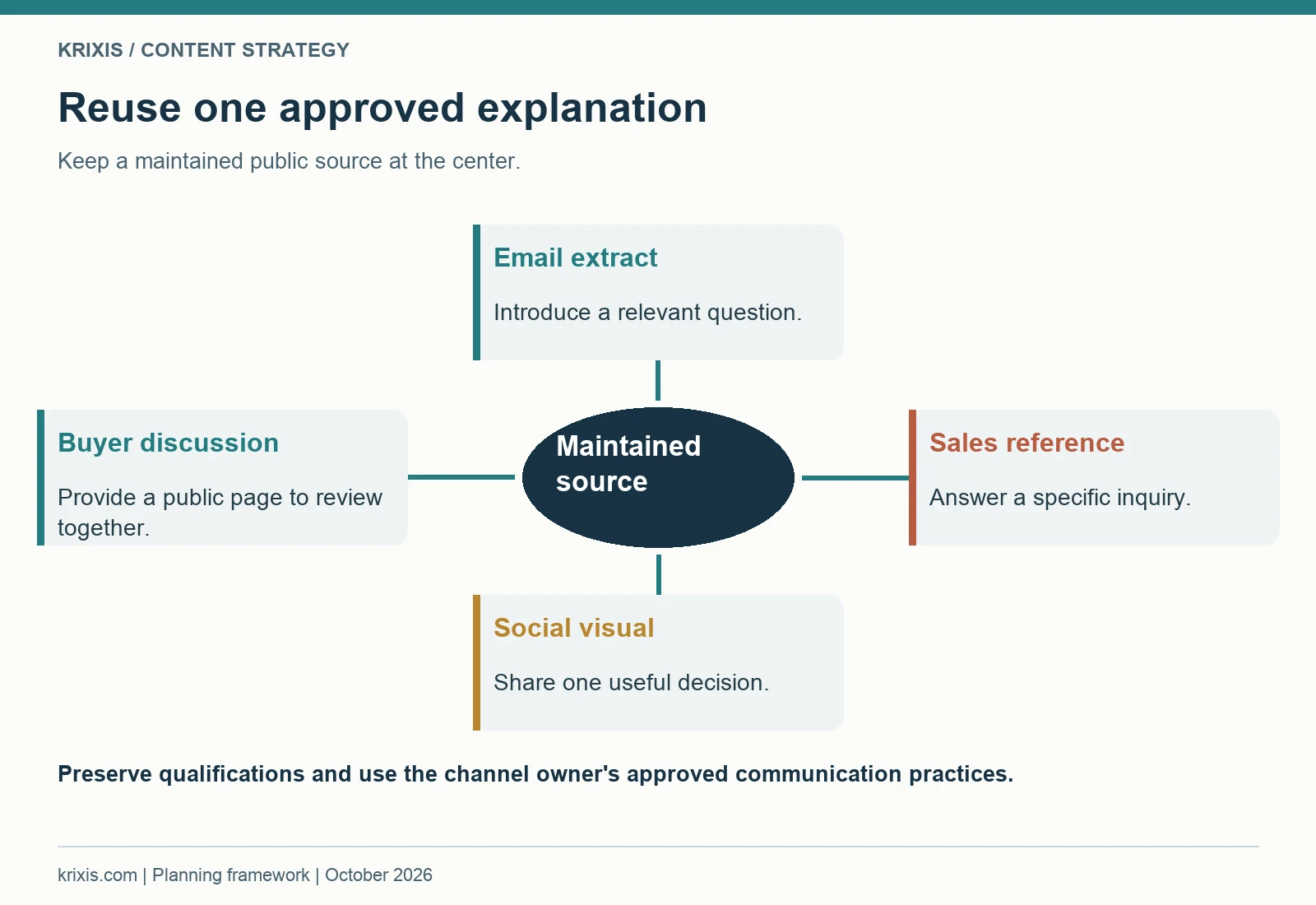
Distribution is more useful when it helps the right reader find a relevant explanation. A new article can support a sales follow-up, a short email, a social post or an internal buyer discussion. Each format needs a clear purpose and context. Copying the full article into every channel often creates unnecessary maintenance and gives the reader no reason to visit the maintained source.
Start with one approved explanation and identify several useful extracts. A short email might introduce the buyer question and link to the relevant section. A social post might share one decision diagram with an explanation. A sales reply could point to the capability detail that answers a question, then invite the appropriate project discussion.
Keep the public source easy to maintain
Link to the maintained page when the detail could change. A brief extract should remain accurate, but it does not need to repeat every condition if the link and surrounding wording make the scope clear. Avoid taking a sentence out of context in a way that turns a qualified explanation into an unconditional claim.
Choose distribution based on the audience and existing permission. Publishing a public article does not authorize sending unsolicited messages to private contacts or adding people to a mailing list. The person managing each channel should apply the business's approved communication practices. Content planning can prepare useful material while leaving delivery to the responsible owner.
For a sales follow-up, connect the page with the actual question. “This section explains the information we need for the initial discussion” is more helpful than “Here is our latest blog.” The recipient should know why the link is worth opening and what they can do afterward. Keep the message short enough to use naturally in a real conversation.
Practical exercise: choose one approved page and create three distribution notes: the buyer question, the useful excerpt or visual and the link destination. Assign a channel owner and review date. If the excerpt relies on a condition in the full page, include that condition or narrow the excerpt.
Do not assume every new article needs every channel. A detailed reference guide may be most useful in follow-up conversations. A simple planning visual may work well as a public post. Distribution should reflect the reader's task and the owner's ability to maintain the material. Record what was actually shared instead of claiming reach or engagement without data.
Keep a version reference for downloadable or copied material. If the core fact changes, the owner can locate the formats that need updates. Reuse saves effort only when the team knows which version is current. An approved paragraph can become a liability when it remains in circulation after the shop's scope has changed.
After distributing the content, collect useful questions that come back. Those questions can improve the original page, inspire a new section or reveal that the intended reader did not understand the next step. Distribution closes a learning loop when the response informs the library, rather than ending with a count of posts sent.

13. Measure usefulness without inventing attribution
Content measurement should help the team make a decision. Begin by recording what the page was intended to do and which observations could indicate a problem or useful contribution. A guide may help a buyer prepare an inquiry. A capability page may clarify fit. A resource may help the team organize a draft. Visits alone do not tell you whether those tasks were accomplished.
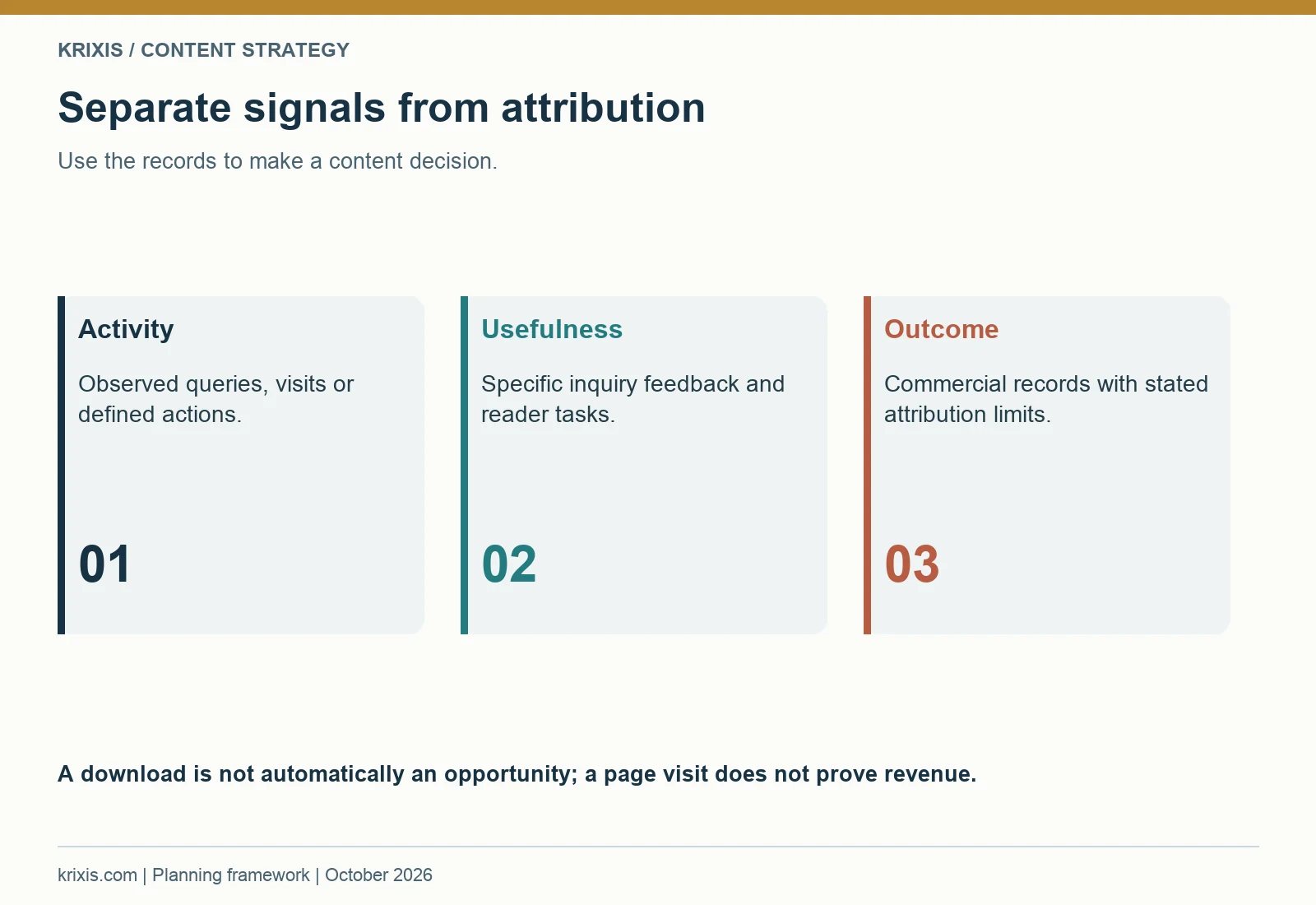
Use the information your systems can actually provide. Search Console may show queries, impressions and clicks. Website measurement may show page visits and defined actions. An inquiry record may identify a referring page or a useful explanation. Sales and estimating can provide qualitative feedback. Keep those observations distinct rather than combining them into a story of revenue impact that the records cannot support.
Separate observed activity from commercial outcomes
A download is an observed action when it is measured reliably; it is not automatically a qualified opportunity. A visitor who reads several pages may still have a different need. A won job may involve referrals, conversations and several pieces of content. State what the records show and what remains unknown.
The machine shop marketing ROI guide explains the broader relationship between marketing activity, RFQs and won work. For the content plan, attach a purpose and a review question to each page. Ask whether the evidence supports continuing, improving or changing the page, not whether every article can be assigned a sale.
Include qualitative observations. If estimating reports that buyers arrive with better context after using the inquiry instructions, record the pattern and its source. Do not convert that observation into a percentage unless there is a defined measure and reliable records. A few specific examples can guide an improvement without becoming a public performance claim.
Practical exercise: create a page review note with intended task, observed search or website activity, inquiry feedback, known measurement gaps and the next decision. Use a clearly labeled fictional example for training: “A buyer referenced the preparation checklist, but the inquiry's commercial source remains unverified.” The note should distinguish usefulness from attribution.
Consider the time required to review a narrow manufacturing audience. A new page may need time to be discovered and used in real conversations. Avoid making a major content decision from a brief period or a single metric. Choose a review interval that fits the business's inquiry cycle and available evidence, then keep that choice explicit.
When a page underperforms its intended task, diagnose the cause. It may answer the wrong question, lack a useful incoming link, contain unclear scope or offer an unsuitable next action. Expanding the word count is only one possible response and may not address the issue. Measurement should point to a concrete revision, an evidence task or a decision to keep the page as a useful reference.

14. Maintain the library when the business changes
Content becomes unreliable when it remains published after the facts have changed. A process description, documentation statement, contact route or resource instruction can become outdated even if the prose still reads well. Assign maintenance responsibility when the page is created. The owner should know which changes trigger a review and where the related facts appear elsewhere.
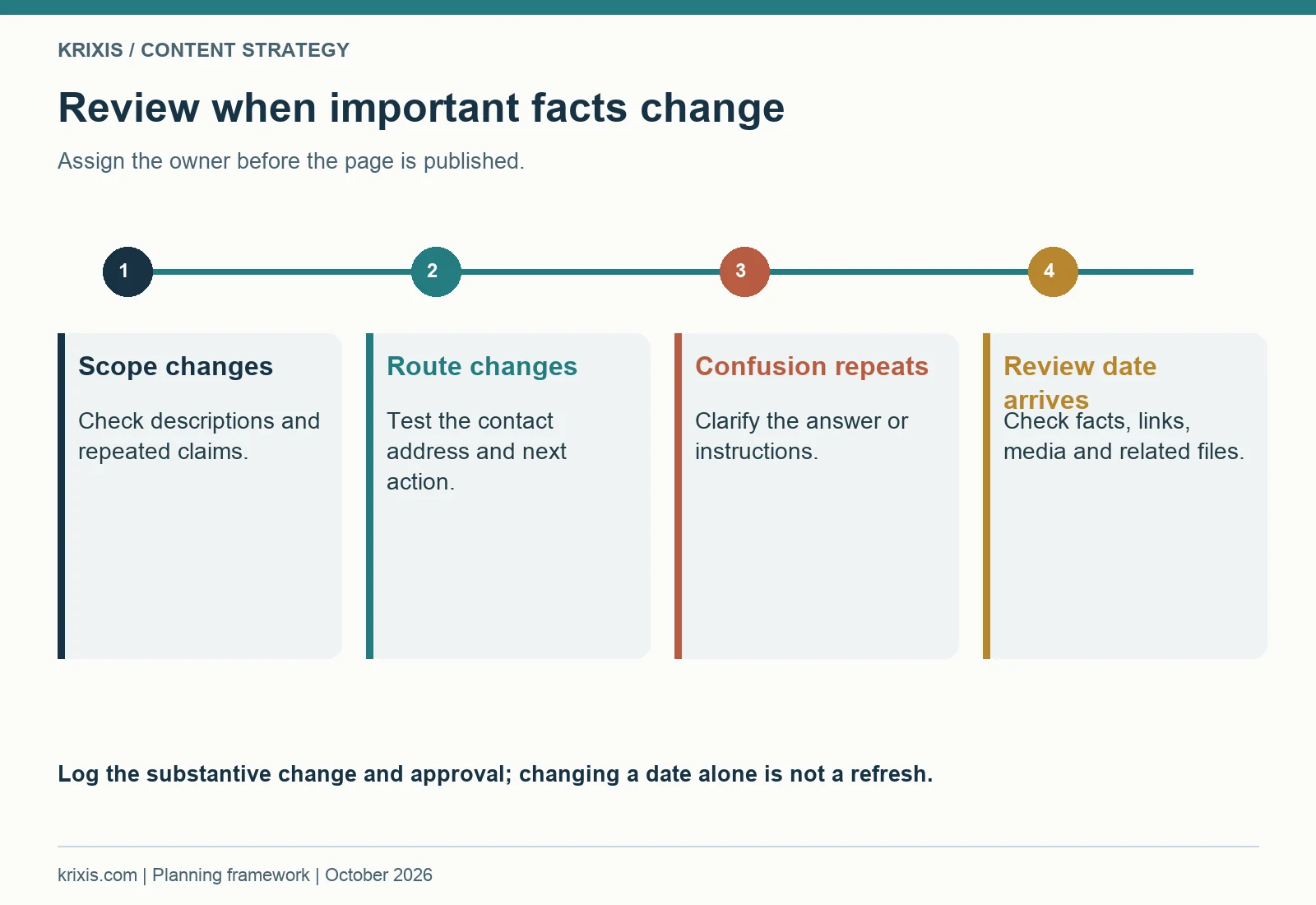
Useful triggers include a change in approved scope, a changed inquiry recipient, a revised resource, new publication permission or repeated buyer confusion. A scheduled review can catch issues that do not have an obvious trigger. The review should examine the page's purpose, claims, links, visuals and next action together.
Update substance and record the reason
A meaningful refresh resolves a factual or reader problem. It might qualify a statement, improve an explanation, replace an outdated link, revise inquiry instructions or connect a new relevant resource. Merely changing a date does not establish that the content has been reviewed. Record what changed and which reviewer approved it.
Keep backups of current content before editing. An older local draft may lack later link additions or corrections. Read the live editor source, save that version and make the smallest complete change that resolves the task. After saving, check the live result. This protects useful material while allowing the page to improve.
A change to an important claim may affect several pages and downloads. Use the evidence record and inventory to locate those appearances. Update the maintained source first, then review supporting articles and copies. If a download is replaced, make sure its landing page describes the current contents and the link delivers the intended file.
Practical exercise: choose one published page and define three review triggers, a named owner and a recurring check date. Identify its related files and pages. Run a live check of the main CTA, one important internal link and the featured image. Record the result in the inventory rather than relying on memory.
Review visuals as part of maintenance. A real photo may need replacement when the represented context changes. A diagram may need new labels if the workflow changes. A general editorial image may still be useful, but it should not remain beside copy that gives it a misleading role. Alt text and captions should reflect the final asset.
Use the change log to explain the current version to the team. Sales may have bookmarked an older resource or copied a paragraph into a template. A brief note about the changed instruction helps them update their own material. Maintenance is more effective when it reaches the people using the content outside the website.
The library should become easier to manage over time. Each approved fact, named owner and clear page role reduces the uncertainty of the next update. A content strategy is sustainable when it includes this ongoing work in the team's capacity, alongside new writing and distribution.

15. Build a publishing plan the team can finish
A workable roadmap sequences dependencies. It starts with questions and approved scope, improves the maintained pages that support the answer and then publishes new content with an appropriate next action. A calendar filled with titles before these decisions are made can create a queue of drafts waiting for technical review.
Begin with a small set of related work. Choose one audience, one central page and several questions that support a meaningful evaluation. Identify the resource and inquiry destination before writing CTAs. Assign the reviewers and publisher. Then choose dates that reflect their actual availability and the effort needed to produce useful material.
A fictional ninety-day planning example
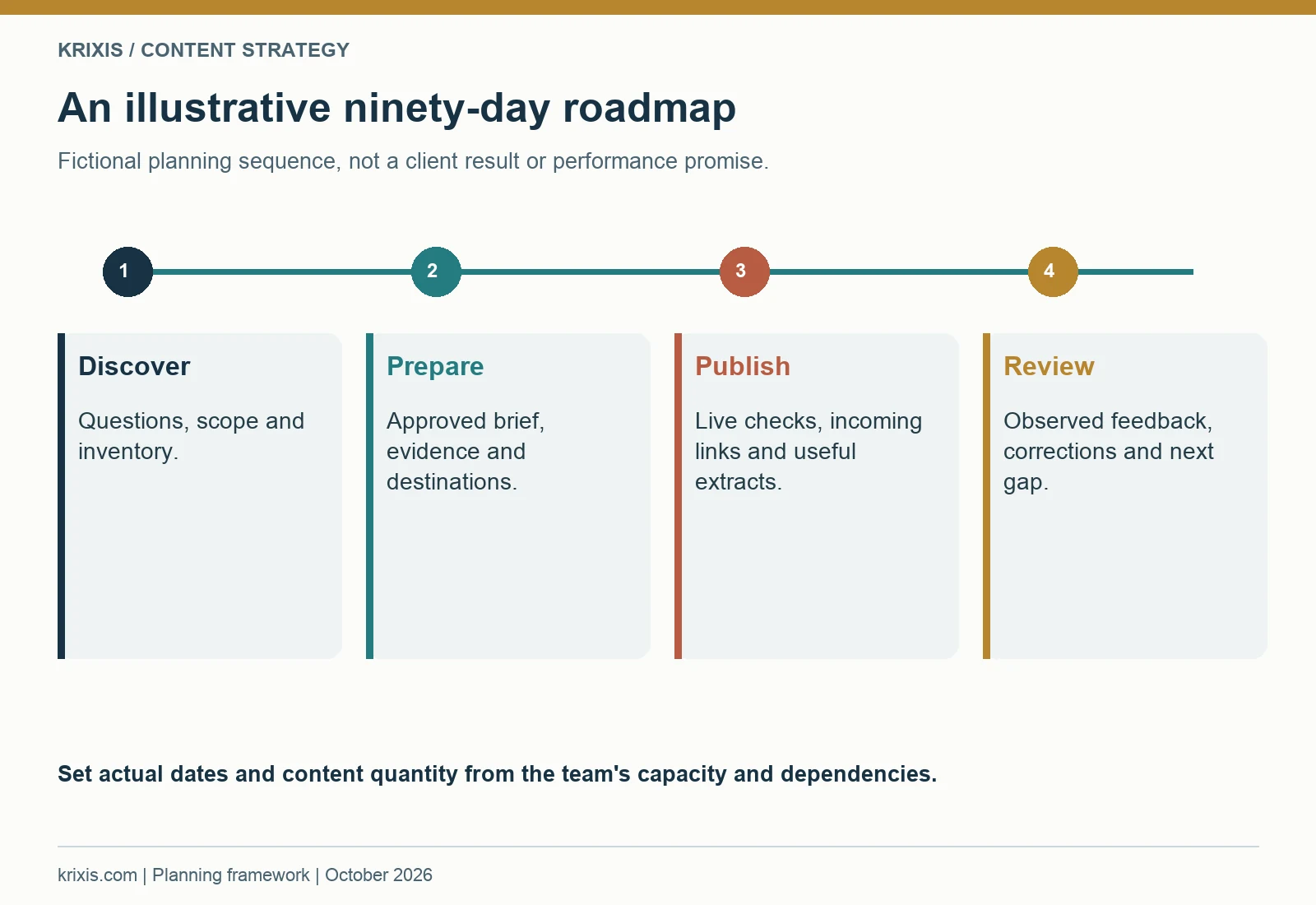
The following sequence is an illustrative planning exercise, not a KriXis client result or a promise of performance. In the first phase, a fictional shop interviews sales, estimating and quality, inventories relevant pages and approves the scope statement. It chooses one buyer question that the current library does not answer clearly.
In the second phase, the team improves the maintained capability page and prepares the guide brief, claim records and resource outline. It reviews the proposed visuals and next action. Drafting begins when the important questions have an owner and the public claims can be supported.
In the third phase, the team publishes the guide, resource and inquiry destination, adds relevant incoming links and checks the live experience. It prepares a few useful distribution extracts. In the final phase, it reviews observed activity and inquiry feedback, resolves any issues and chooses the next gap. The exact dates and quantity of content depend on capacity.
Practical exercise: plan the next four deliverables with a buyer task, dependency, owner, reviewer and completion check. Include an existing-page improvement as a deliverable if the new article relies on it. A deliverable can be a reviewed resource or corrected inquiry route; it does not always need to be another article.
Use visible readiness states: research, evidence review, brief approved, draft, final review, published and maintenance. A task should move forward when its dependencies are resolved. If a page waits on publication permission, record that status rather than making the missing example seem settled. Choose another ready task when appropriate.
At each planning review, ask which reader problem is still underserved. Compare the inventory, backlog and current feedback. The next best post is the one that supplies a distinct useful answer the team can verify and maintain. A larger guide can establish the system; focused supporting pages help readers use it in specific situations. Together, they make the website easier to evaluate and the next conversation easier to prepare.

Common questions about machine shop content strategy
How long should a machine shop article be?
Use enough space to answer the reader's question with useful, supportable detail. Google does not prescribe a preferred word count. This playbook is deliberately extensive because it covers fifteen connected planning decisions. A focused page may be much shorter. Use headings, contents navigation and diagrams to make a long guide easy to consult; remove repetition that does not help the reader decide or act.
Should we begin with blogs or capability pages?
Begin with the pages needed to explain the shop's current approved scope and inquiry route. Then use articles to answer questions that support evaluation or preparation. The capability page blueprint helps organize those maintained business pages. A new article should link to accurate supporting information rather than compensate for a confusing central page.
What if we cannot publish customer examples?
Use approved capability information and useful general explanations. A clearly labeled fictional example can teach a planning method, but it must not be presented as a real result. If a completed project can be discussed, follow the machine shop case study guide to collect evidence, qualify the account and secure appropriate approval.
Can AI help with the content process?
It can help organize a brief or explore wording, but the team remains responsible for facts, permission and the final public representation. Avoid putting private drawings or production records into an unapproved tool. The AI and RFQ guide discusses related workflow questions. Review the applicable practices before applying a tool to private work.
How many topics should be on the calendar?
Choose the number the team can research, review, publish and maintain. A backlog can be longer than the committed schedule. Keep the upcoming work small enough that owners know what they must finish. Use readiness and dependencies to decide what is next instead of filling dates with topics that lack evidence or a useful purpose.
Start with one audience and one useful answer
Choose the reader you can serve, collect a real question and identify the evidence required to answer it. Review the relevant existing pages, write a brief and give the page an appropriate next action. Publish with clear structure, varied useful visuals and verified live links. Then record what the content helps readers do and maintain it when the facts change.
That cycle is the foundation of a practical machine shop content strategy. The planning kit gives the team a place to organize the decisions, while a KriXis content strategy review can begin with your public URL, intended audience and the buyer question you want the website to answer. For broader implementation, explore machine shop website design and machine shop SEO services.


Trackbacks & Pingbacks
[…] plan the wider library around this page, use the machine shop content strategy playbook for buyer questions, evidence reviews, supporting articles and publishing […]
Leave a Reply
Want to join the discussion?Feel free to contribute!