
Machine Shop Equipment Lists: Help Buyers Evaluate Your Shop
KriXis editorial guide · About 13 minutes to read
A machine shop equipment list can help a buyer decide whether to start a conversation. It can also leave that buyer with a page of model numbers and unanswered questions. Which machines support the process they need? Are the dimensions machine specifications or reviewed workpiece limits? Is the equipment current? Who should they contact when their part does not fit neatly into a table?
The useful version connects verified assets with clear context. It identifies equipment accurately, explains important conditions and points to the capability information needed for the next decision. It gives an estimator a better starting conversation without pretending a public inventory can approve a drawing.
This guide explains what to publish, how to separate equipment facts from project claims, and how to maintain one dependable source. The downloadable planning kit includes equipment records, a field map, approval notes and a revision log.
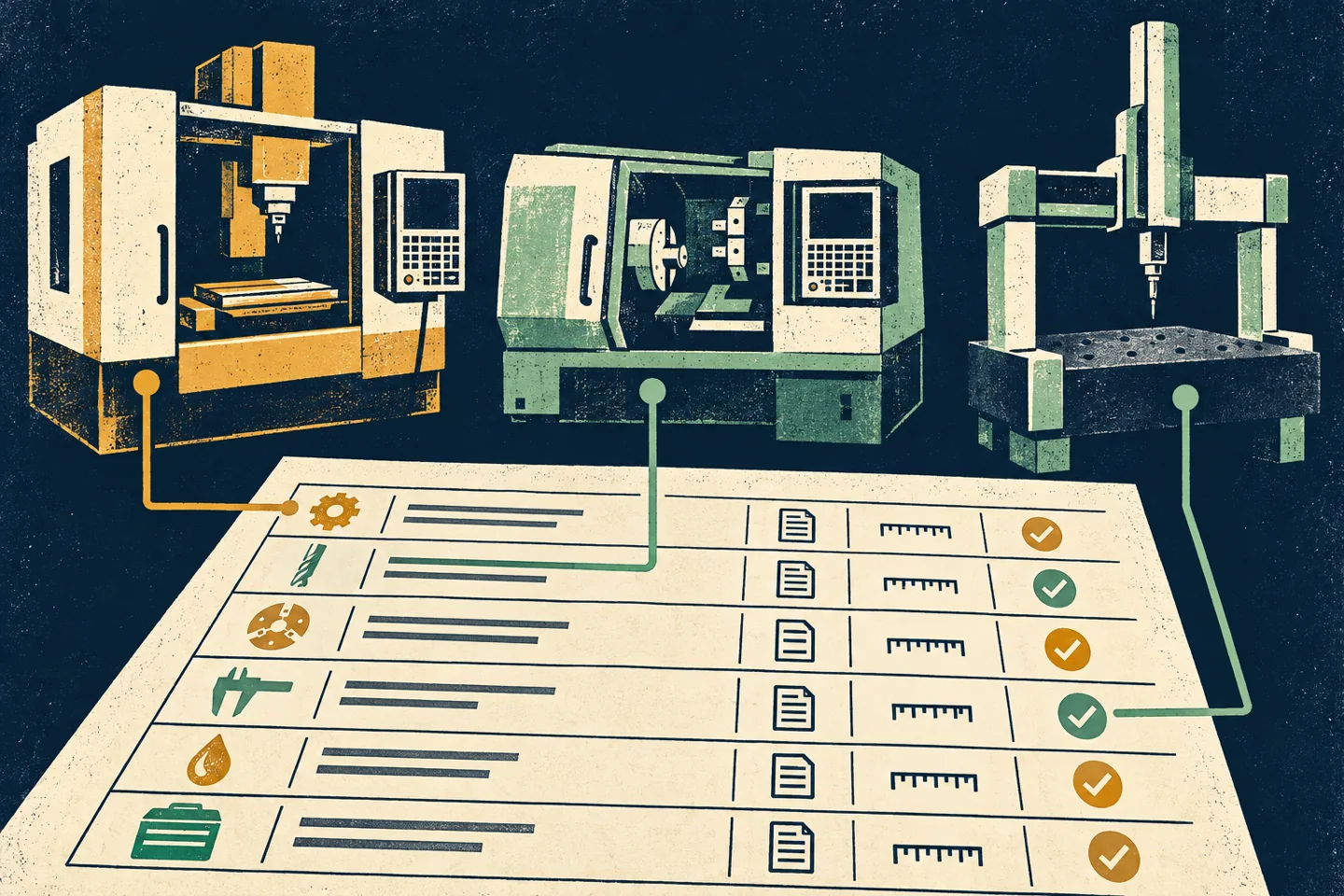
1. Give the equipment list one clear job
The page should help a prospective customer understand relevant resources and find the right next step. It is a reference within your website, connected to process pages, quality information and an inquiry route. It does not need to reproduce every internal asset record.
Start with the buyer's question. A sourcing professional may want to identify turning and milling resources before adding your shop to a supplier discussion. An engineer may look for a process configuration or an indication that a particular size deserves review. Someone arranging a supplier assessment may need an approved, dated download.
Those needs overlap, but they are not identical. A short categorized overview can serve the first scan. A maintained table can provide equipment detail. Capability pages can explain application context and the review conditions. Give each format a purpose instead of placing every fact in one oversized spreadsheet.
NIST MEP's supplier scouting service connects purchasers with manufacturers having relevant production and technical capabilities. The editorial lesson is practical: organize your information around a buyer's specific need, rather than expecting a brand-name inventory to communicate the full fit.
2. Build a verified source before editing the website
Collect the current equipment information with operations, estimating and quality representatives. Agree on who can approve model names, installed configurations and public wording. A brochure found online is not enough to establish how your shop's particular machine is configured today.
Use an internal record for each published item. It can include an asset reference, category, make and model, installed options, reviewed specifications, application notes, owner and approval date. Keep sensitive internal details in the appropriate system. Public content usually does not need serial numbers, asset values or a map of the facility.
Distinguish three kinds of source information:
- Manufacturer information: the relevant specification for the correct model and configuration.
- Shop information: what is installed, how the team uses it and which public statements the responsible reviewer approves.
- Project information: requirements that still need drawing, tooling, inspection and scheduling review.
Record the source and its limitations beside the proposed wording. If a fact is unresolved, give it an owner and leave it out until verified. Publishing a blank field is less helpful than using a shorter, accurate description that identifies what a buyer should ask next.
Check equipment status while collecting records. A machine being relocated, replaced or commissioned should not silently appear as an available production resource. Decide whether a planned addition belongs in a clearly explained update or should wait until the team can support a current statement.
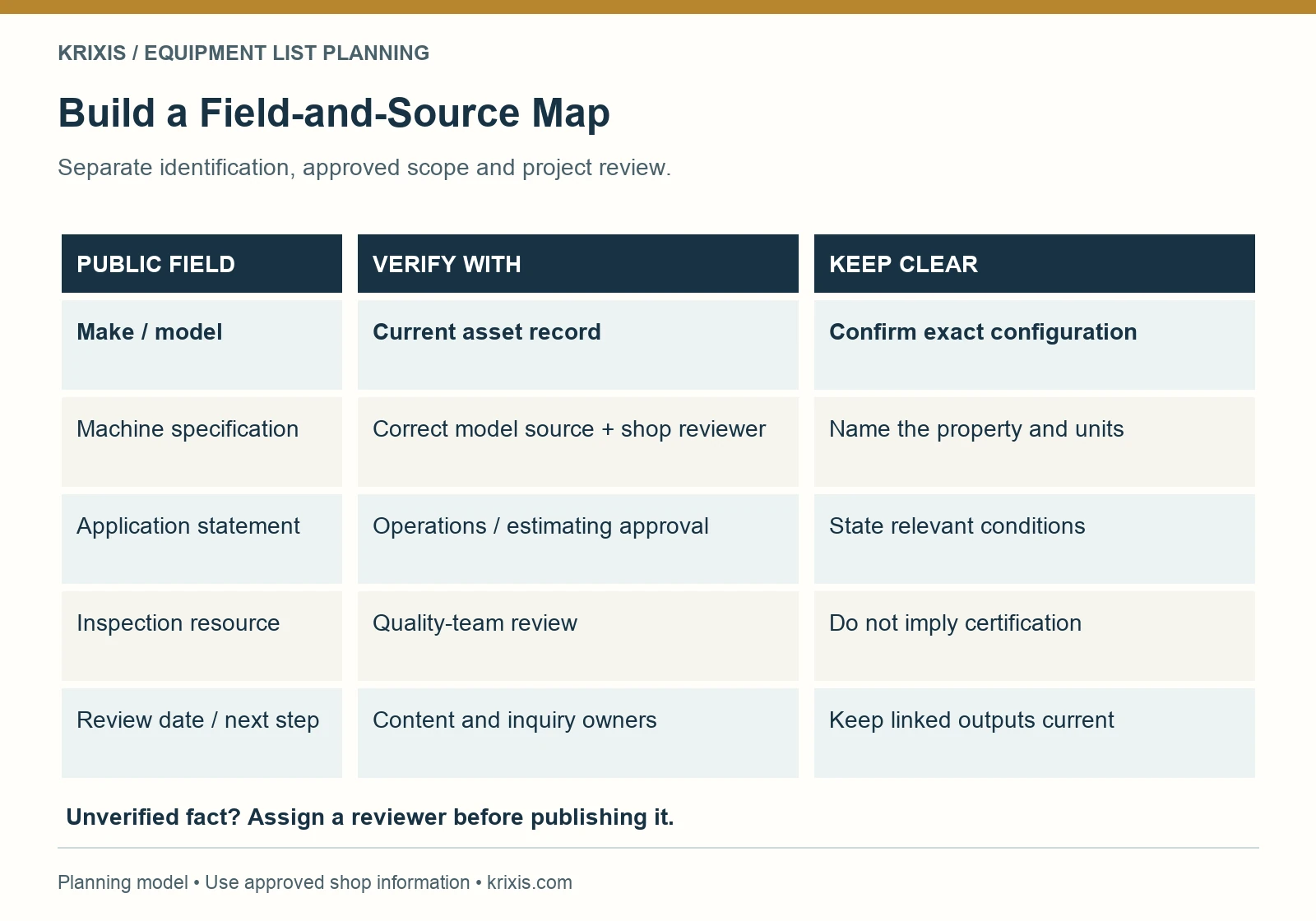
3. Choose fields that a buyer can interpret
Group equipment by meaningful process categories, such as milling, turning, secondary operations and inspection, using only the categories the shop can verify. Include a short introduction explaining the table's scope and the date of its last substantive review.
For each group, consider the following public fields:
Identification and process
Use accurate make/model wording where it is useful and approved. Name the process in ordinary language. A model code alone can require visitors to leave your site to understand why it matters. Identify an installed configuration only when it has been checked; do not copy every optional feature from a manufacturer page.
Reviewed specifications with units
Choose a small number of specifications that help the initial evaluation. Name what each figure describes. “Axis travel,” “table size” and “reviewed workpiece range” are different labels. If two unit systems are shown, have someone verify the conversion and rounding. Consistency across rows is more useful than a dense collection of unlike numbers.
Scope notes and the next reference
Add concise conditions that change interpretation. Link to the maintained capability-page explanation rather than repeating a long process description in every row. A list can say where to continue learning without making a new claim about every listed machine.
Quantities can help describe an equipment group if the count is current and the shop wants it public. They do not establish that every machine is free, staffed or assigned to the same work. Separate an equipment count from current production availability.

4. Separate machine specifications from project promises
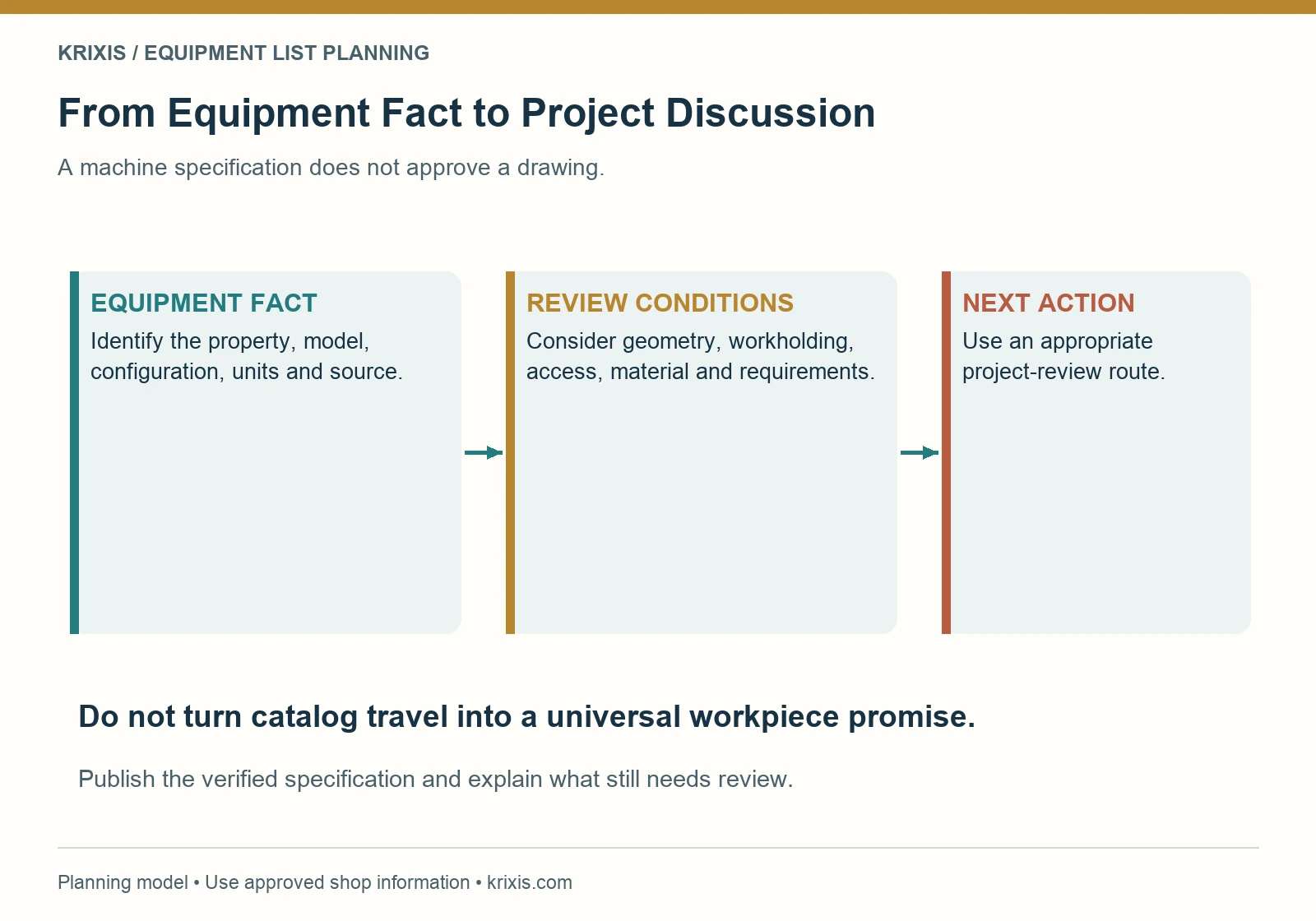
A specification describes a particular property of equipment. Whether a project is suitable depends on its requirements and the shop's reviewed process. Do not quietly turn a catalog dimension into a promise that every part of that size can be produced.
Workholding, tool access, part geometry, material, inspection needs and the proposed process can change the relevant discussion. Ask the responsible manufacturing reviewer which conditions should accompany a published range. If no practical workpiece range has been approved, label the actual specification clearly and explain that part suitability requires review.
The same distinction applies to accuracy and tolerance language. A machine specification, a measurement instrument description and a commitment to a finished-part requirement are separate things. Avoid applying one blanket tolerance claim to the entire equipment inventory. Direct the buyer to share their requirements through an appropriate review route.
Use a fictional row to check the wording
Consider this fictional drafting example: an inventory entry says “Large machining center — handles any large part.” The statement supplies no useful limit and promises more than the inventory establishes.
A more useful draft structure would be: “Machining center — installed configuration and machine travel verified in the equipment table. Workpiece suitability depends on geometry, workholding, access and requirements; request a project review.” The shop would still need to insert its own verified facts. This is a writing example, not an actual shop capability or client result.

5. Make in-house and outside resources understandable
An equipment page should let a buyer distinguish your shop's resources from operations coordinated through another business. Do not place a partner's machine under an undifferentiated “our equipment” heading. Describe the relationship in approved terms and link to the relevant process explanation.
Inspection equipment also deserves its own context. A list of measuring resources can help someone prepare questions, but ownership of an instrument does not by itself establish a quality-system certification or a specific inspection deliverable. Publish certifications and their scope only through reviewed, current information.
Keep related pages aligned. If an equipment item is removed from the list, check any process page or industry page that relies on it. If an outside process changes, review the application description and the inquiry instructions. The industry-page guide can help connect application context with approved supporting information.
Make the review boundary useful to a buyer. Explain which part characteristics and documentation needs should be discussed before quoting. Avoid repeating generic disclaimers in every row when a clear section note can state the common conditions and individual notes can identify exceptions.
6. Publish readable HTML and a maintained download
Put the essential equipment information in readable website text. A photograph of a spreadsheet makes scanning and updating harder and can force visitors to zoom repeatedly. A well-organized HTML list or table gives you direct control over headings, links and responsive behavior.
Use a table when readers need to compare the same fields across rows. Give it a meaningful caption, clear headers and an appropriate relationship between headers and cells. W3C's tables tutorial explains these structures. Keep the public table simple enough to understand without elaborate nested headings.
For small screens, reduce the number of columns, divide categories into separate tables or provide a clearly identified horizontal-scroll region when necessary. Another option is a consistent entry layout with visible field labels. Test the actual implementation with a keyboard and a phone-sized viewport; shrinking text until it fits is not a useful solution.
Treat a PDF as another maintained format
A dated equipment PDF can be useful for purchasing teams that circulate supplier information. Keep it consistent with the HTML source, identify its revision and provide a route back to the current page. Remove or redirect outdated download links according to the site's maintenance plan.
Do not claim a PDF cannot appear in search. Google's developer guidance identifies both HTML and PDF among indexable content types. Choose the formats for usability and maintainability, then verify the actual indexing settings. An image-only list is still a poor substitute for usable information.
7. Use visuals to explain, without replacing the facts
A real, approved equipment photograph can help a buyer recognize the kind of resource being discussed. Choose a view that communicates the intended subject. A wide facility view, a close view of a machine feature and an image of a relevant inspection setup serve different purposes.
Review images before publication for customer work, drawing details, screens, identifiers and other information the shop has not approved for public use. Ask the responsible team to check whether the scene represents the current arrangement. Do not imply that a stock or generated machine image depicts equipment the shop owns.
Use descriptive alt text appropriate to the image's role and avoid repeating keywords. Keep machine facts in the adjacent text, where they can be read, copied and maintained. Captions should explain something useful about the image rather than restating the equipment category without context.
An approved case study can illustrate how resources support a project when there is permission and documented information. It should remain a separate, bounded example. One project does not prove that every future drawing with a similar label will be suitable.
8. Create a maintenance loop people can finish
Assign one public-content owner and the reviewers who approve technical changes. Record where the maintained inventory lives and which pages and downloads depend on it. An equipment purchase announcement should trigger a review of the relevant pages, rather than automatically adding an unverified row.
Useful review triggers include installation or removal, configuration changes, a new inspection resource, a change in outside-process coordination and a corrected specification. Add a scheduled review that the team can actually maintain. The purpose is to confirm substance, not to replace a date while leaving old information untouched.

For each update, record what changed, the source, approval, publication locations and the observed check. Verify both HTML and any download. Check internal links from capability pages, inquiry instructions and sales materials that may point to an earlier file.
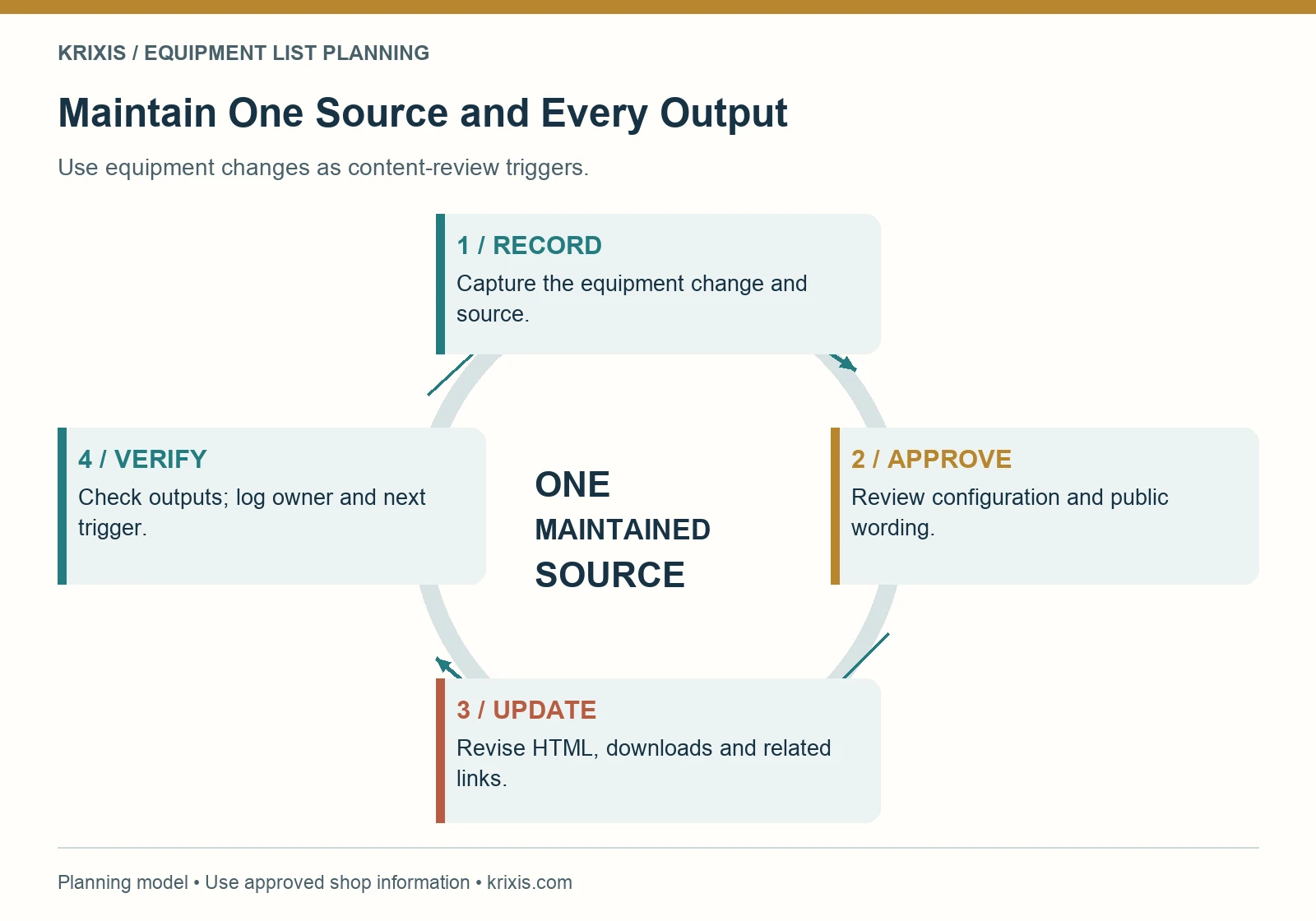
When a machine is no longer part of the published scope, preserve the internal history while updating the public description. Avoid leaving an old downloadable inventory prominently linked from another page. A maintained source with tracked outputs makes those dependencies easier to find.
9. Connect the equipment page to a useful inquiry
Place a relevant next action beside the information the buyer is reviewing. Explain that a project conversation begins with requirements, rather than asking visitors to choose a machine as if they were reserving equipment. Your estimator can decide how resources relate to the proposed work.
Link the RFQ form design guide to your planning process so field choices and drawing-sharing instructions support the next step. A buyer without a ready drawing should still understand whether a non-confidential initial discussion is available.
Use observed questions to improve the page. If buyers repeatedly confuse machine travel with a finished-part limit, revise the label and explanation. If they ask about a process you coordinate externally, make that relationship easier to find. Review actual inquiry context before drawing conclusions about whether the page attracts appropriate work.
Measure page visits and request activity separately from qualified opportunities and won work. The marketing ROI guide explains why those stages should not be treated as interchangeable. An equipment-list update does not, by itself, establish a commercial result.
Common questions about machine shop equipment lists
Should every machine be included?
Publish the resources relevant to a prospective buyer and approved for public disclosure. Explain the list's scope. Keep a complete internal asset inventory separately if the public page has a narrower purpose.
Should the page show current availability?
Only if the business has a dependable process for maintaining and qualifying that information. A static machine count should not be read as open capacity or a delivery promise. Discuss actual scheduling needs through the project-review process.
Does a longer equipment page rank better?
Length alone is not the goal. Google's helpful-content guidance says Google has no preferred word count. Use enough detail for accurate buyer evaluation and keep repeated application explanations on their maintained capability pages.
Start with one category and a verified field map
Choose a category buyers already ask about. Verify the equipment records, select the fields that help initial evaluation and distinguish specifications from project-dependent conditions. Link to the relevant process explanation and a supported inquiry route. Then assign the owner who will keep the information current.
The planning kit turns those decisions into a source record, public field map and maintenance checklist. Build a dependable reference first, and expand it when the next category can meet the same standard.

Leave a Reply
Want to join the discussion?Feel free to contribute!