
Free KriXis planning resource
Machine Shop Capability Page Planning Kit
Turn an equipment list into a page buyers can use to assess fit and prepare an inquiry.
Plan one capability page with a clear purpose, verified claims, approved evidence and a dependable RFQ route. No email signup required.
Download the free capability page planning kit
ZIP download with a self-contained HTML planning worksheet and instructions. Unzip it, open the HTML file in your browser, and print or save to PDF before closing.
What is inside
- A page brief: define the capability, buyer need, desired work, exclusions and primary action.
- Three evidence records: connect each buyer question with a proposed claim, conditions, approved evidence and a reviewer.
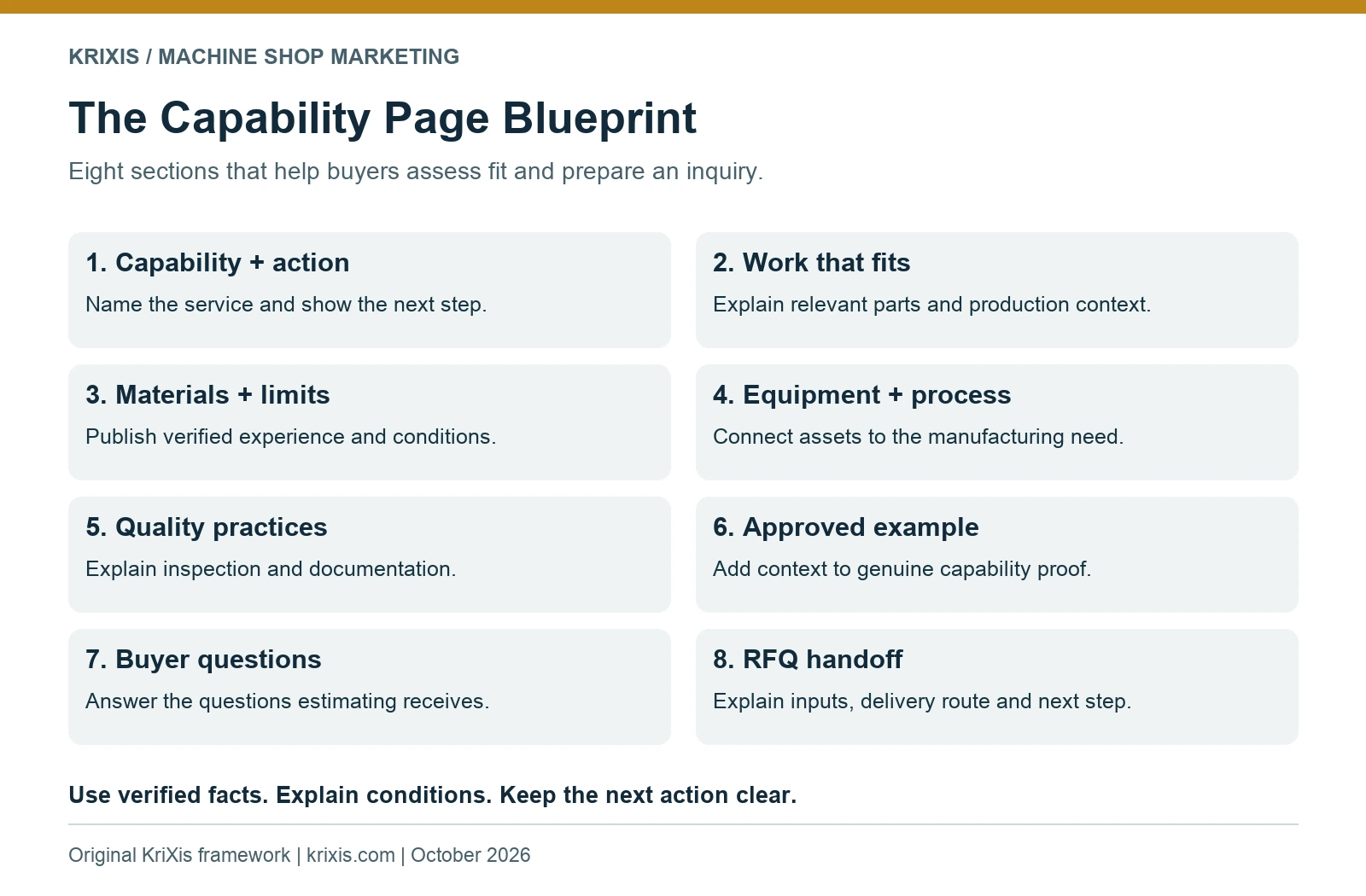
- An eight-section outline: draft service context, work fit, materials, process, quality, examples, questions and handoff instructions.
- A launch checklist: check technical accuracy, permissions, SEO, phone readability and inquiry receipt.
- An improvement record: capture remaining buyer questions, the next action, an owner and a review date.
Use it with your shop team
- Pick one real capability. Choose a distinct service with useful information your team can verify.
- Collect the evidence. Ask operations, quality and estimating to review claims and conditions before drafting.
- Draft, review and test. Complete the outline, confirm permissions and test the actual inquiry handoff.
- Keep the completed brief. Use the worksheet’s Print / save to PDF button before closing. Entries are not saved after the browser session ends.
Evidence before adjectives
The kit helps you distinguish a useful fact from a claim that needs more context. It does not certify capabilities, establish tolerance limits or replace technical review. Keep confidential customer details out of public drafts and follow your approved file-handling process.
Read the complete capability page blueprint for a worked copy example and explanations of each section.
Common questions
Does this require software?
No installation is needed. Extract the ZIP and open the HTML worksheet in a current browser.
Does KriXis receive the worksheet entries?
No. The downloaded worksheet runs locally with no tracking, external scripts or data uploads. Use print or save to PDF to retain your work.
Can I use it for more than one service?
Yes. Start a separate brief for each distinct capability. Avoid making pages that only substitute a material or location name into the same copy.
Is the kit a finished website page?
No. It is a planning document. Your team must verify the facts, approve the draft and implement the final page.
Plan your first improvement
Bring the brief to a short meeting with marketing and your responsible technical reviewer. Choose the first page, agree on its purpose and assign the evidence owners.
Download the free capability page planning kit
Created by KriXis · October 10, 2026 · Privacy policy